This article explains how to recommend appropriate Tencent Cloud products and specifications based on source resource planning and pull list prices for comparison.
Prerequisites
You need to select the required resources in the source-end resource list and click Go to Design.
Directions
Configure Mapping Policy
Enter Source-end resource list in Cloud Migration > Research Analysis, select the resources that need to be designed and migrated according to your own requirements, click Go to Design, and then configure.
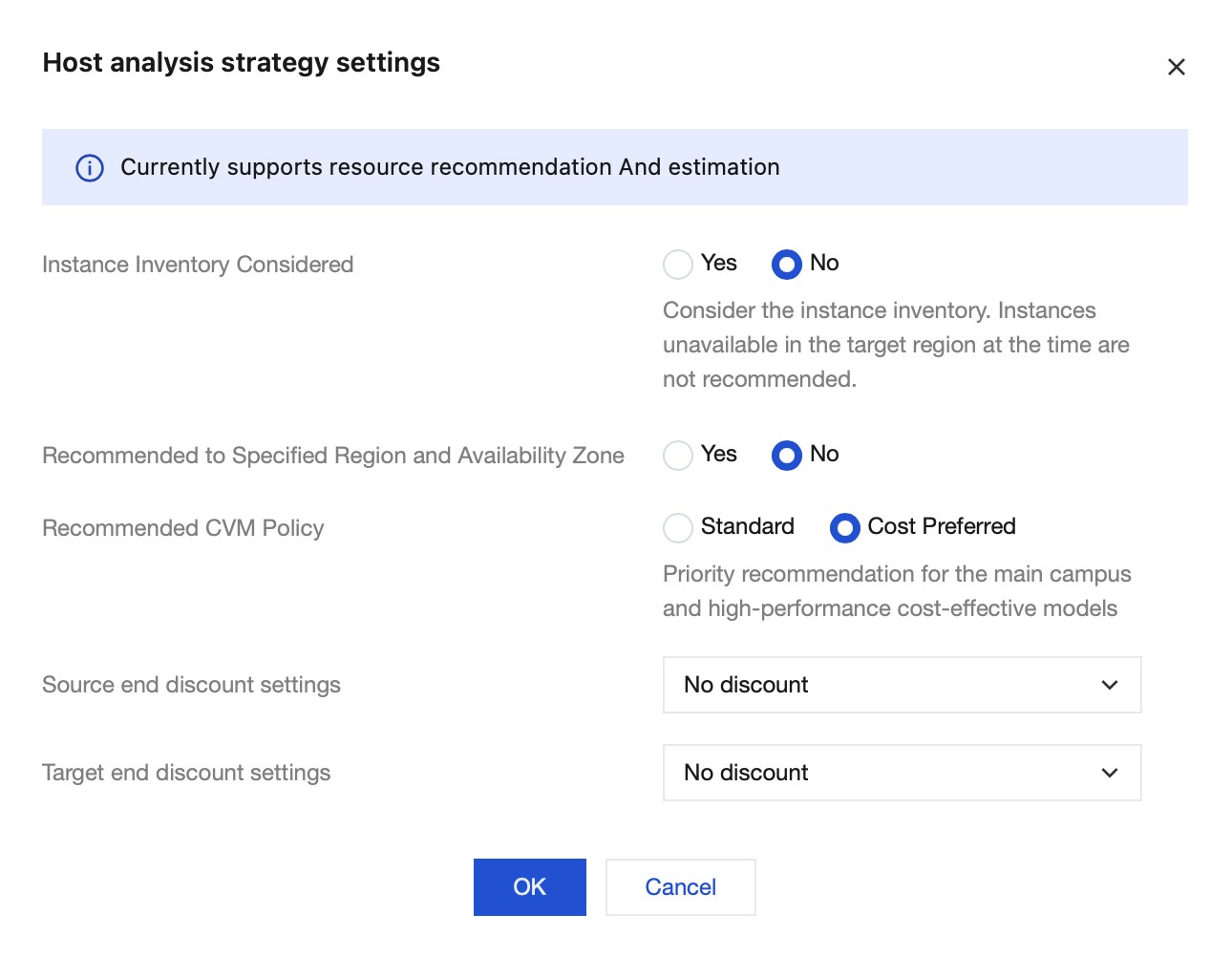
When selecting a mapping policy, configure the following items:
Instance Inventory Considered: If considering inventory, only specifications available for sale on the current day will be recommended.
Recommended to Specified Region and Availability Zone: If you clearly hope that all instances of the target are in one regional availability zone, you can configure this item.
Recommended CVM Policy: Standard will recommend relatively matching specifications on Tencent Cloud based on the specification attributes of the source server model; Cost Preferred will recommend more cost-effective specifications.
View Recommendation Result
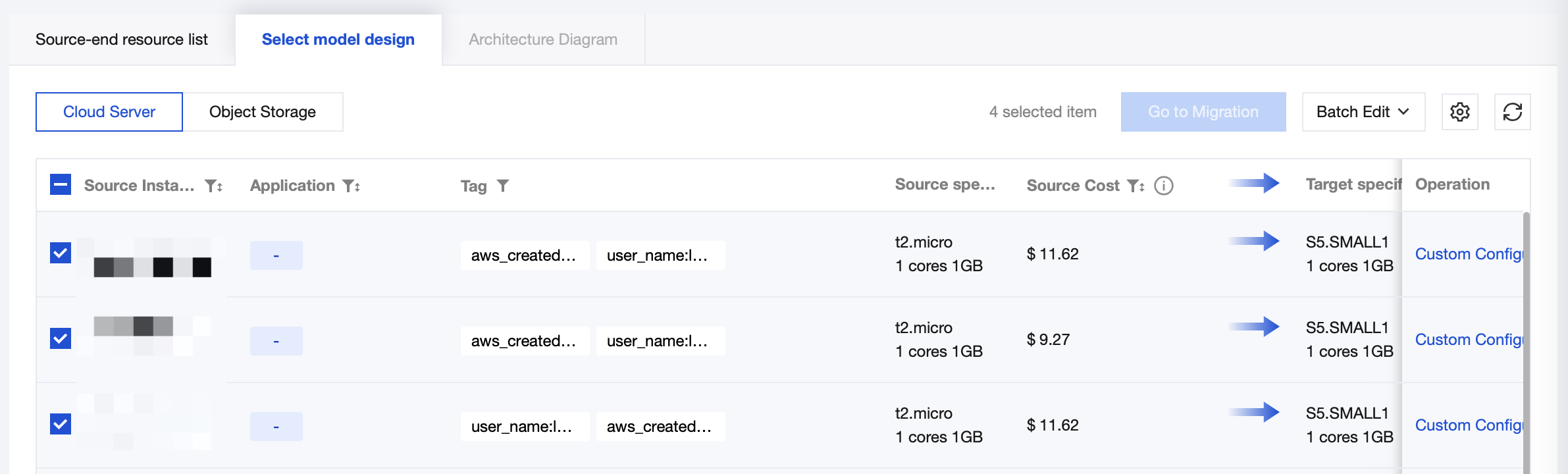
After configuring the mapping policy, click Confirm to go to the analysis dashboard and view the recommendation result. The blue arrow's left side shows the source-end resource, and the right side indicates a recommendation for Tencent Cloud specification configuration.
Customize Mapping Specification
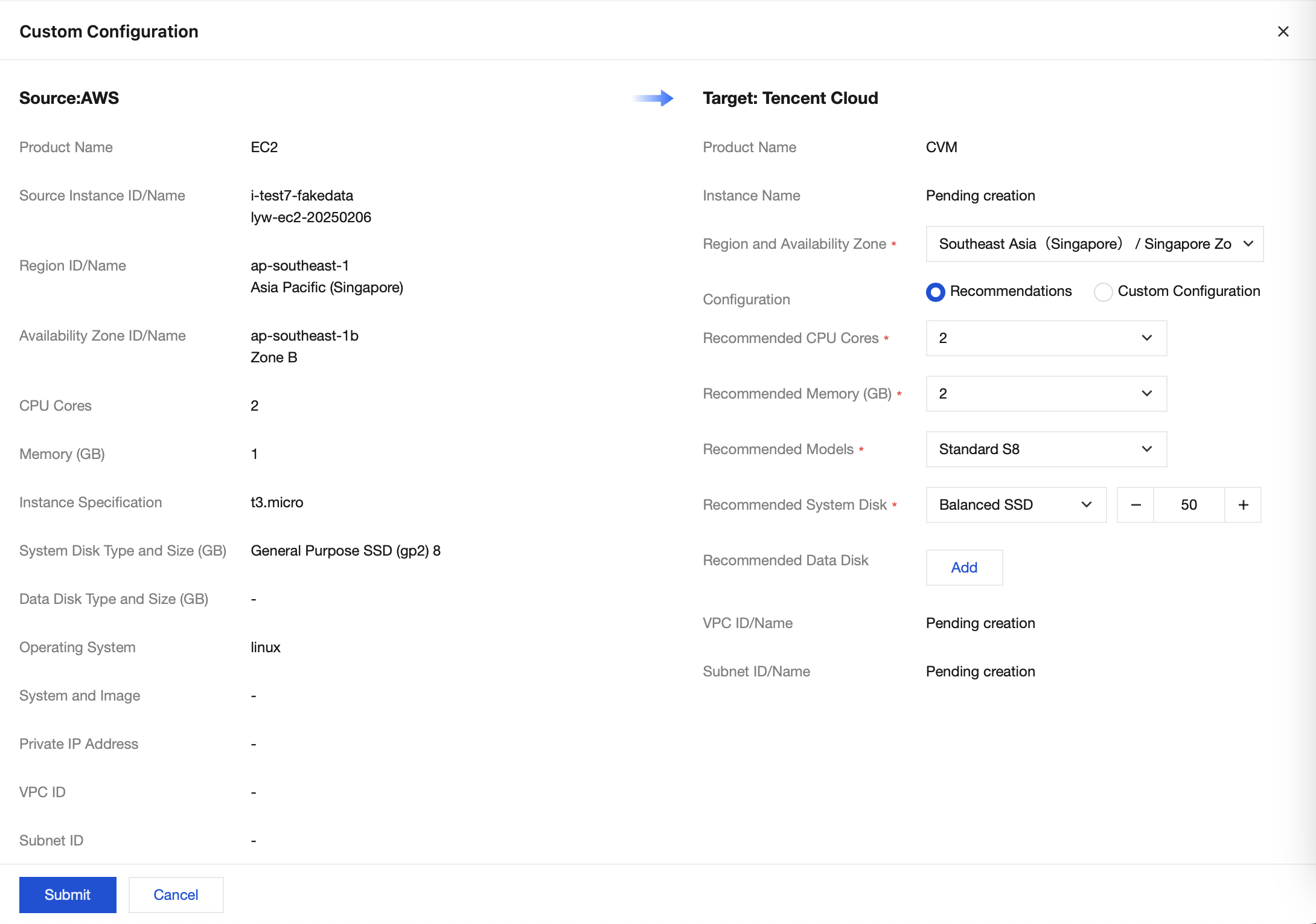
If you need to adjust the recommended Tencent Cloud resource configuration, you can click Custom Configuration in the corresponding resource's data operation column.
Batch Remapping
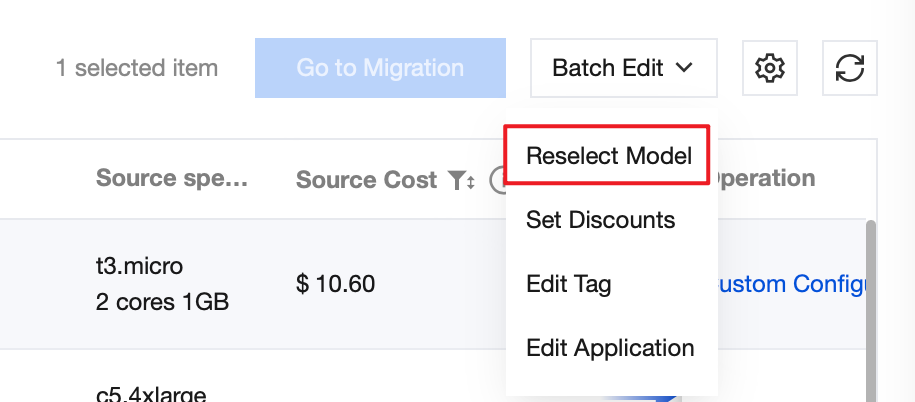
If you need to readjust the analysis strategy, you can select the resource and click Reselect Model in Batch Edit at the upper right corner.