Disabling Commands
마지막 업데이트 시간:2023-12-21 21:12:59
Disabling Commands
마지막 업데이트 시간: 2023-12-21 21:12:59
This document describes how to disable commands in the TencentDB for Tendis console.
Overview
TencentDB for Tendis supports disabling some commands that may cause service instability or accidentally delete data, by configuring the
disable-command-list parameter.Directions
Disabling a command
1. Log in to the TencentDB for Tendis console, select a region, click an instance ID in the instance list, and enter the instance management page.
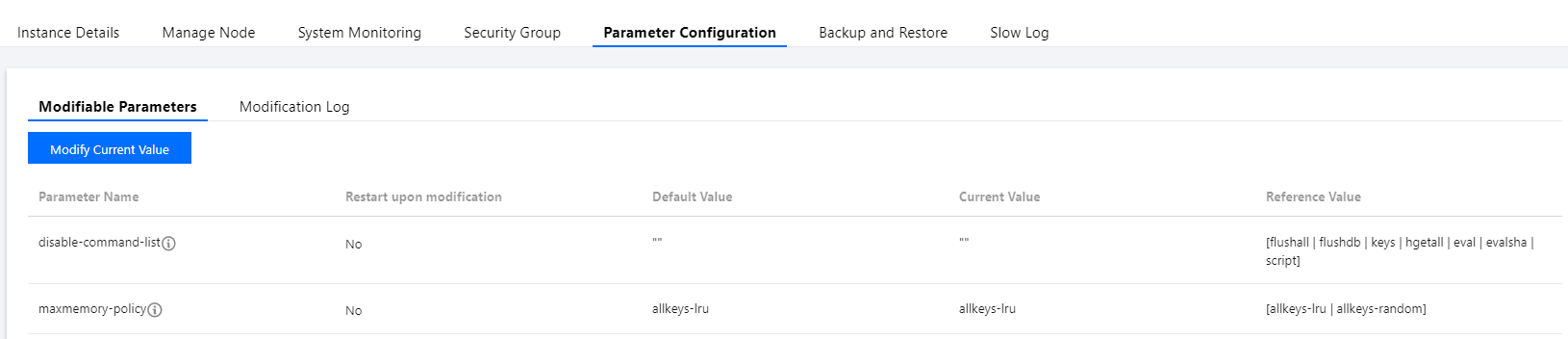
2. Select Parameter Configuration > Modifiable Parameters and configure the list of commands to be disabled in the
disable-command-list parameter line.Note:
Commands that can be disabled include
flushall, flushdb, keys, hgetall, eval, evalsha, and script.Command disablement will take effect within two minutes for existing connections without restarting the Tendis service.
Enabling a disabled command
1. Log in to the TencentDB for Tendis console, select a region, click an instance ID in the instance list, and enter the instance management page.
2. Select Parameter Configuration > Modifiable Parameters and remove a command from the list of disabled commands in Current Value to enable it.
Parameter modification history
1. Log in to the TencentDB for Tendis console, select a region, click an instance ID in the instance list, and enter the instance management page.
2. View the parameter modification history in Parameter Configuration > Modification Log.
피드백