
View Performance Progress

Last updated: 2025-11-19 11:01:03
Overview
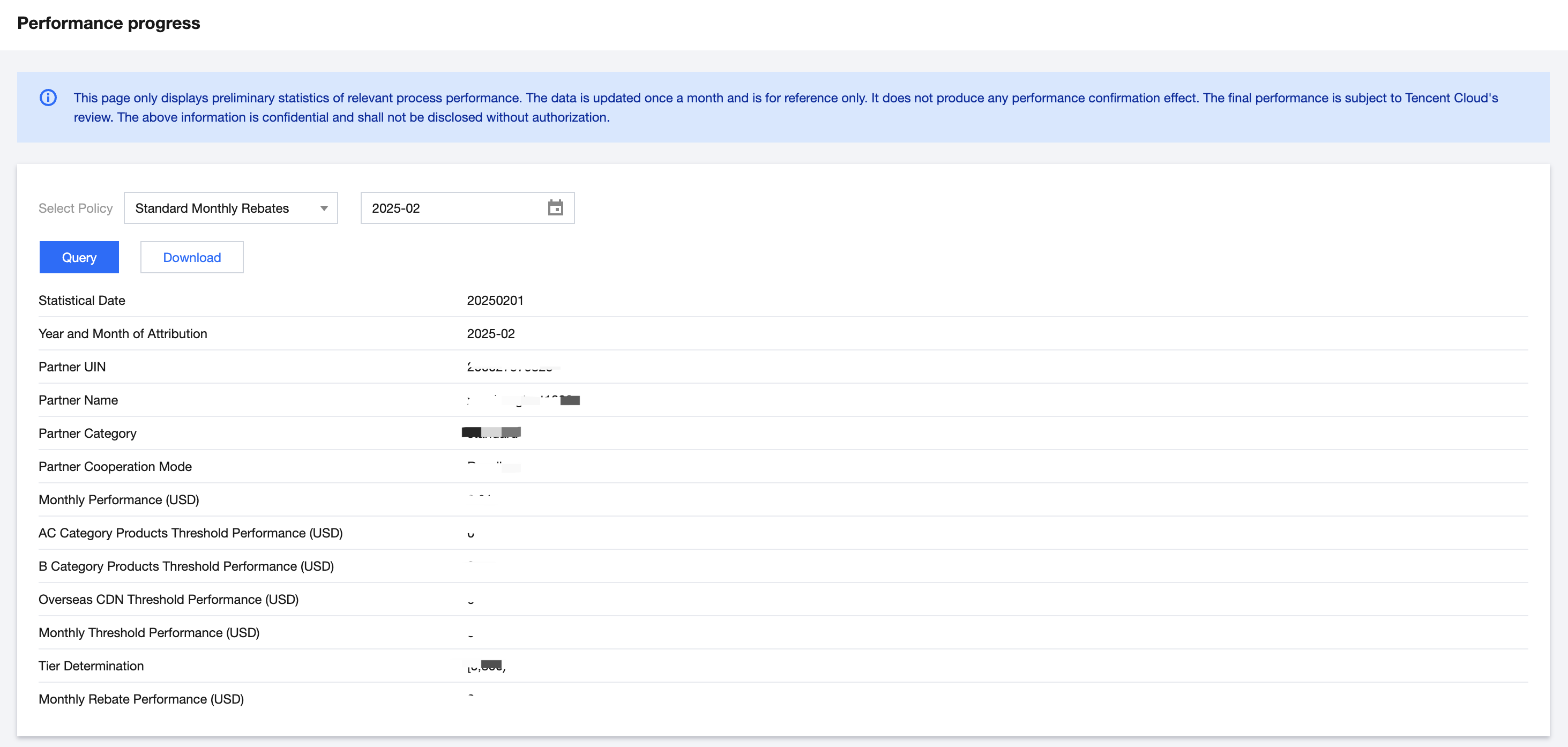
Resellers can view or download the estimated rebate currency of participated policies by month in the performance progress module.
Applicable Objects
This document is suitable for resellers and first-level distributors to read.
Operation Steps
1. Log in to Tencent Cloud official website with a partner account and enter Partner Center console.
2. Select Rebate > Performance Progress in the left sidebar.
3. Select the corresponding policy and month, then click the query button.
Note:
If the displayed data is 0, the data of the selected month might be not generated, or the reseller has not yet joined the corresponding policy.
4. Click Download to download the query results on the interface.
Was this page helpful?
You can also Contact Sales or Submit a Ticket for help.
Yes
No
Feedback