Beauty Flutter SDK requires dependence on the Beauty SDK of the Android/iOS end. Through the Plugins provided by Flutter, the native end features can be exposed to the Flutter client. Therefore, when integrating the beauty filter features, you need to manually integrate the SDK of the native end.
Running Demo
Download the demo project, modify the demo/lib under the main.dart file, add your licenseUrl and licenseKey in this file. The sample code for using beauty features in MLVB is primarily located in demo/lib/page/live_page.dart and demo/lib/main.dart.
Android
iOS
1. In demo/app, find the build.gradle file, open the file, and change the value of applicationId to the package name you used when applying for the license.
2. In demo/lib, execute flutter pub get.
3. Use Android Studio to open the demo project and run it.
1. In the demo directory, execute flutter pub get.
2. In the demo/ios directory, execute pod install.
3. Use Xcode to open Runner.xcworkspace.
4. Change the project's bundle ID (it needs to be the same as the bundle ID you provided when applying for the license).
SDK Integration
Native Integration
Android
iOS
1. In the app module, find the build.gradle file and add the Maven repository URL for your corresponding package. For example, if you choose the S1-04 package, add the following:
For the Maven URL corresponding to each package, please refer to the documentation. The latest version number of the SDK can be found in theRelease History.
2. In your project, find the android/app module and locate the src/main/assets folder. Copy the demo/android/app/src/main/assetslut and MotionRes folders from the demo project to your own project's android/app/src/main/assets. If your project doesn't have an assets folder, you can create one manually.
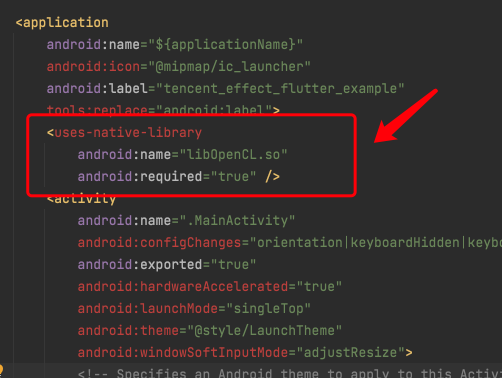
3. Locate the AndroidManifest.xml file under the app module, and add the following Tag in the application section:
<uses-native-library
android:name="libOpenCL.so"
android:required="false" />
//true indicates that libOpenCL is essential for the current app. Without this library, the system will not allow the app to install
//false indicates that libOpenCL is not essential for the current app. The app can be installed normally with or without this library. If the device has this library, GAN-type special effects in the Tencent Special Effects SDK (e.g., fairy tale face, comics face) will function normally. If the device does not have this library, GAN-type effects won't work, but it will not affect the use of other features within the SDK.
//For information about uses-native-library, please refer to the Android official website: https://developer.android.com/guide/topics/manifest/uses-native-library-element
After adding, it looks as follows:
4. Obfuscation configuration
If you enable compile optimization (setting minifyEnabled to true) when packaging the release, it will trim some code that is not called in the Java layer. This code may possibly be invoked by the native layer, thus causing the no xxx method exception.
If you enabled such compile optimization, you should add these keep rules to avoid trimming xmagic's code:
-keep class com.tencent.xmagic.**{*;}
-keep class org.light.**{*;}
-keep class org.libpag.**{*;}
-keep class org.extra.**{*;}
-keep class com.gyailib.**{*;}
-keep class com.tencent.cloud.iai.lib.**{*;}
-keep class com.tencent.beacon.**{*;}
-keep class com.tencent.qimei.**{*;}
-keep class androidx.exifinterface.**{*;}
-keep class com.tencent.effect.**{*;}
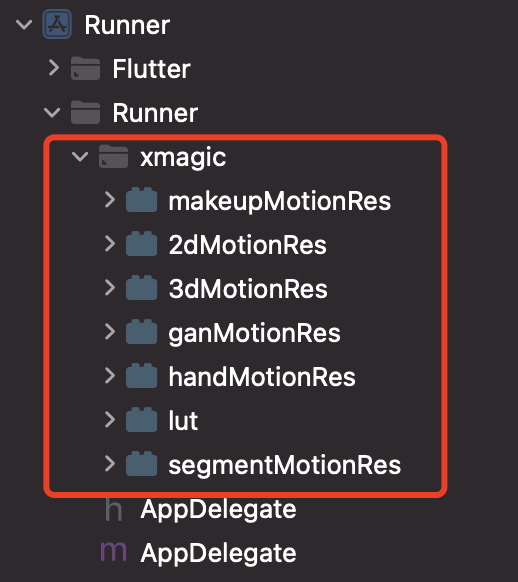
Copy the xmagic folder from the ios/Runner directory of the demo project to the ios/Runner directory of your project. After adding, it looks as follows:
Note:
The materials copied from the demo project are test materials. Official materials need to be obtained from us by contacting staff after purchasing a package, and then re-added.
Flutter Integration
Method 1:
Remote Dependencies, add the following reference in your project's pubspec.yaml file:
Local Dependencies, download the latest version of tencent_effect_flutter, then add the folders android, ios, lib and the files pubspec.yaml, tencent_effect_flutter.iml to your project directory, and then add the following reference in your project's pubspec.yaml file: (refer to demo)
tencent_effect_flutter:
path: ../
Run the following command:
flutter pub get
Note:
tencent_effect_flutter only provides a bridging, the beauty feature relies on beauty SDKs provided by each platform, so if you need to update the beauty SDK, you can upgrade the SDK using the following steps:
Android
iOS
Find the build.gradle file under the app module in your project, and change the implementation 'com.tencent.mediacloud:TencentEffect_S1-04:latest.release' field's latest.release to the latest version number.
If you need to change the package, you need to modify the TencentEffect_S1-04 field to your package field.
Need to change package type and SDK version:
1. The dependency for the Beauty Flutter SDK needs to be changed to a local dependency.
2. Find the ios/tencent_effect_flutter.podspec file under the Beauty Flutter SDK, open it and change TencentEffect_All to the package you need, and you can also change the version number to the version you need.
3. Execute the pod update command in the ios directory of your project.
SDK usage
1. Associated with MLVB
Android
iOS
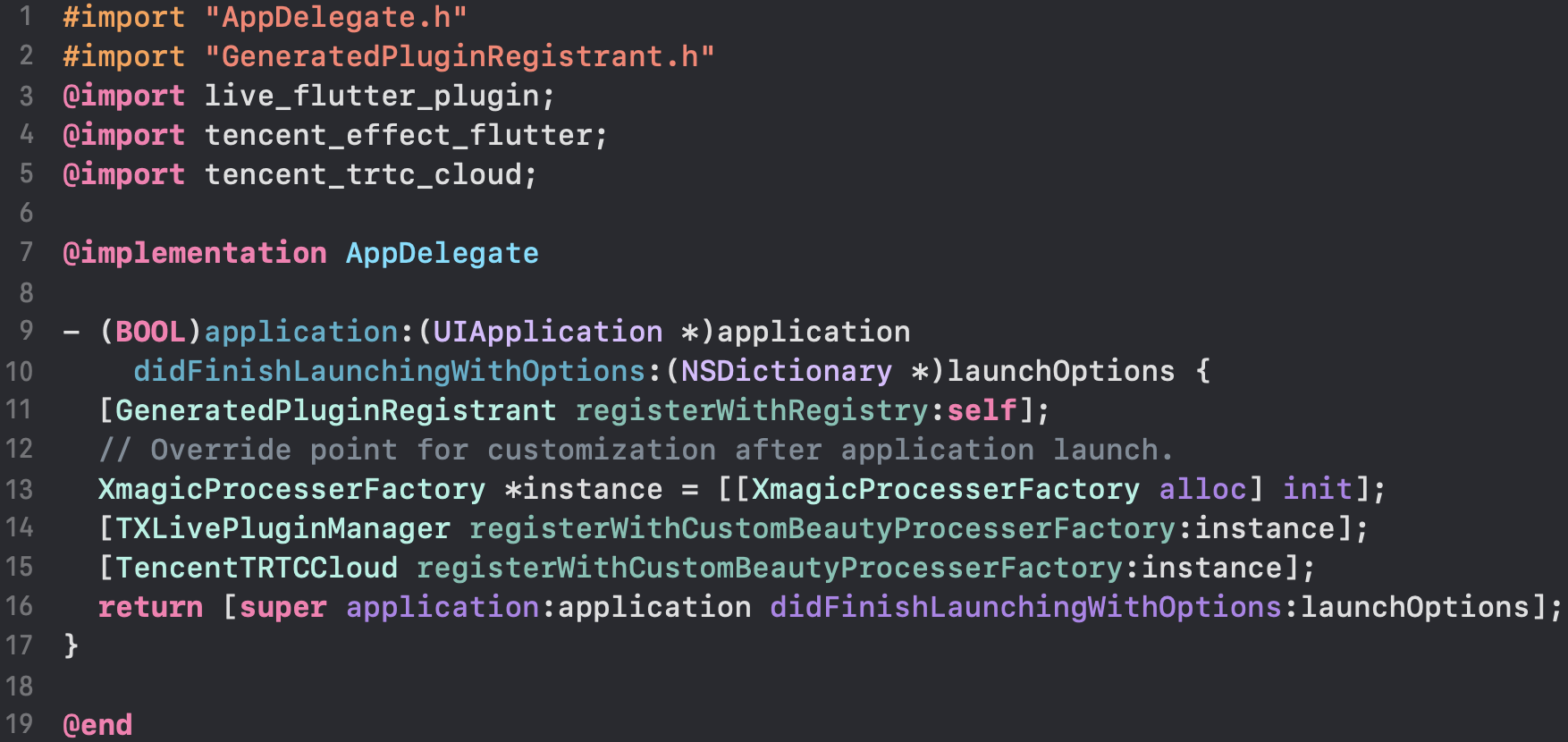
Add the following code in the onCreate method of the application class (or the onCreate method of FlutterActivity):
/// Resource copying only needs to be done once. In the current version, if copied successfully once, there is no need to copy the resources again.
/// Copying the resource only needs to be done once. Once it has been successfully copied in the current version, there is no need to copy it again in future versions.
TXLog.printlog("Print the authentication result errorCode = $errorCode msg = $msg");
if(errorCode ==0){
// Authentication succeeded
}
});
4. Enable/Disable Beauty Filter
/// Enable beauty filter operation
var enableCustomVideo = await _livePusher.enableCustomVideoProcess(open);
Note: When enabling the beauty filter on the page, you must disable the beauty filter first before closing the camera. The enable and disable operations should be paired to ensure proper functionality.
7. Add Data to and Remove Data from the Effect Panel
Add effect resources:
Add your resource file to the corresponding folder as described in step 1. For example, to add a 2D animated effect resource:
Android
iOS
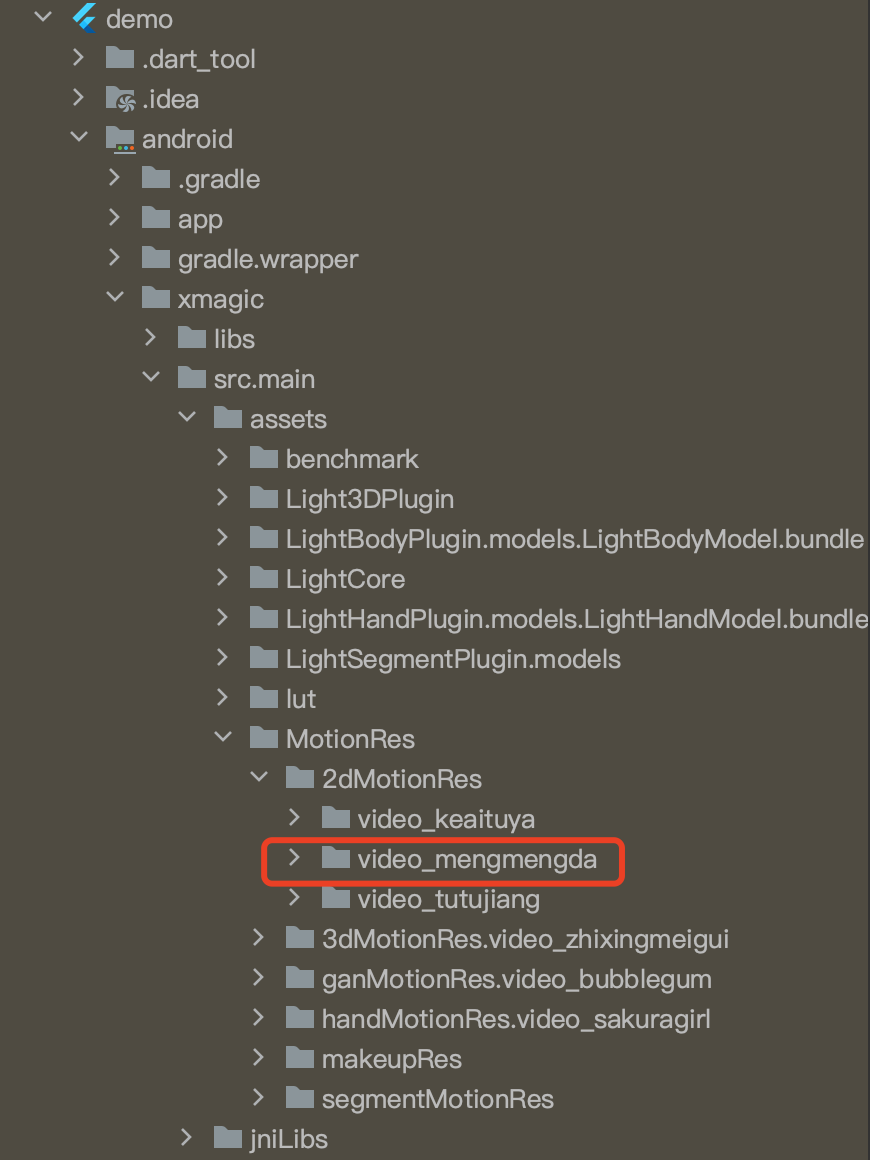
You should put the resource in android/xmagic/src.mian/assets/MotionRes/2dMotionRes of your project:
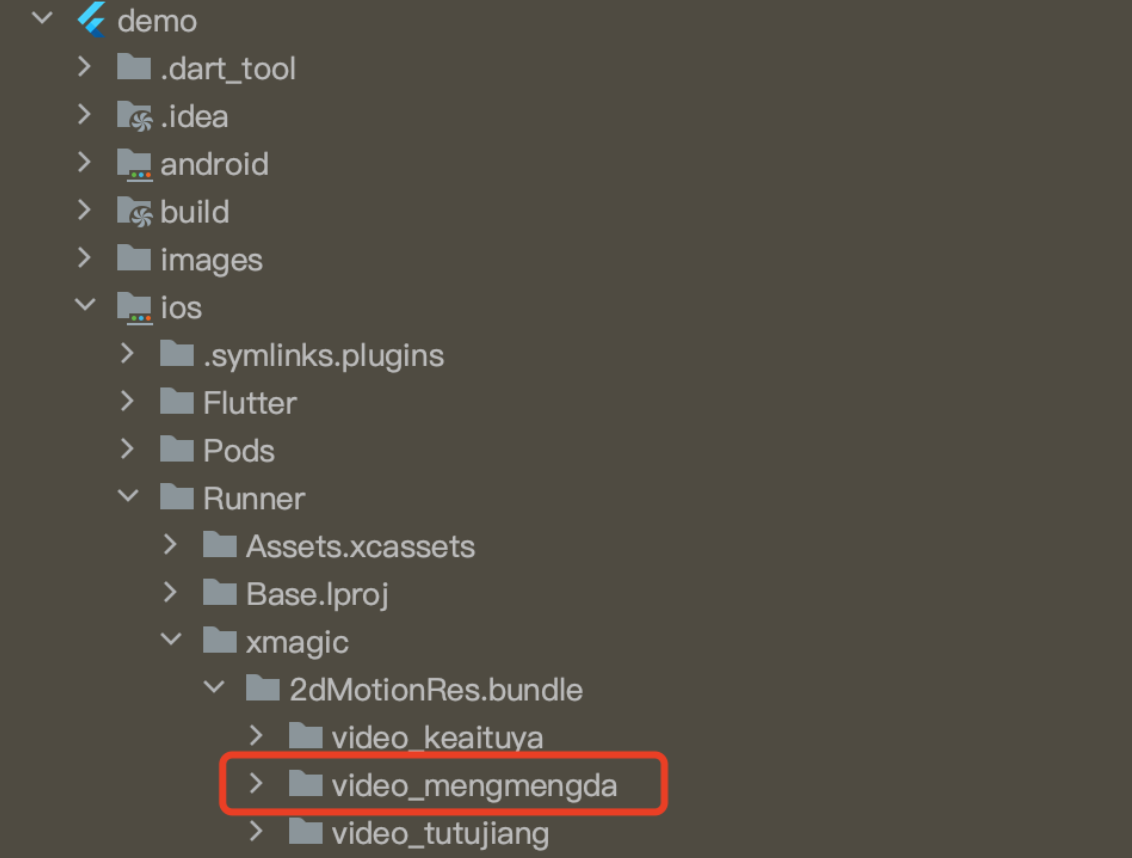
Also add the resource to ios/Runner/xmagic/2dMotionRes.bundle of your project.
Beauty Panel Configuration:
V0.3.5.0 and later
V0.3.1.1 and earlier
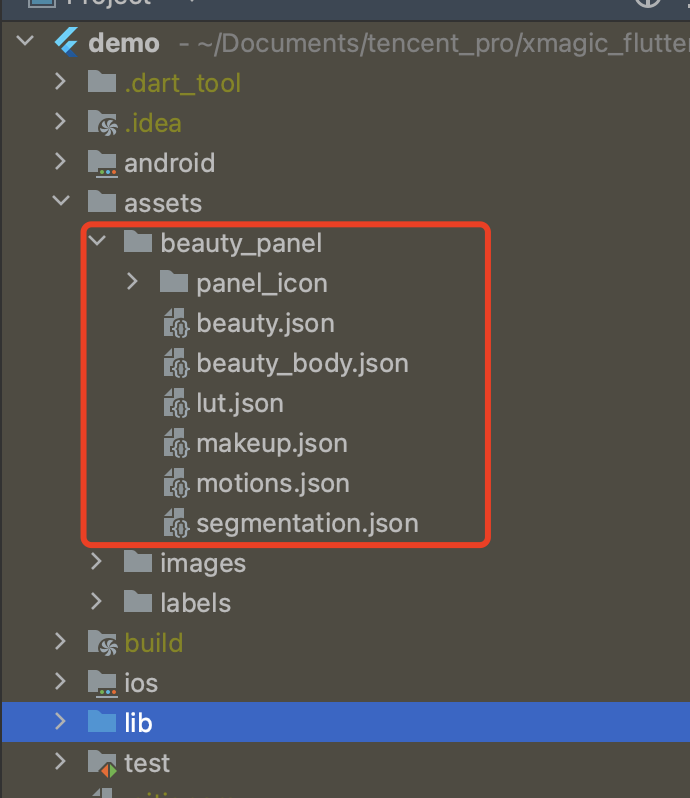
The demo provides a simple beauty panel UI. The panel's properties are configured through JSON files, located as shown in the following diagram. The implementation of the panel can be referred from the demo project.
In the classes BeautyDataManager, BeautyPropertyProducer, BeautyPropertyProducerAndroid, and BeautyPropertyProducerIOS, you can independently configure the beauty panel data.
Delete Beauty Resources
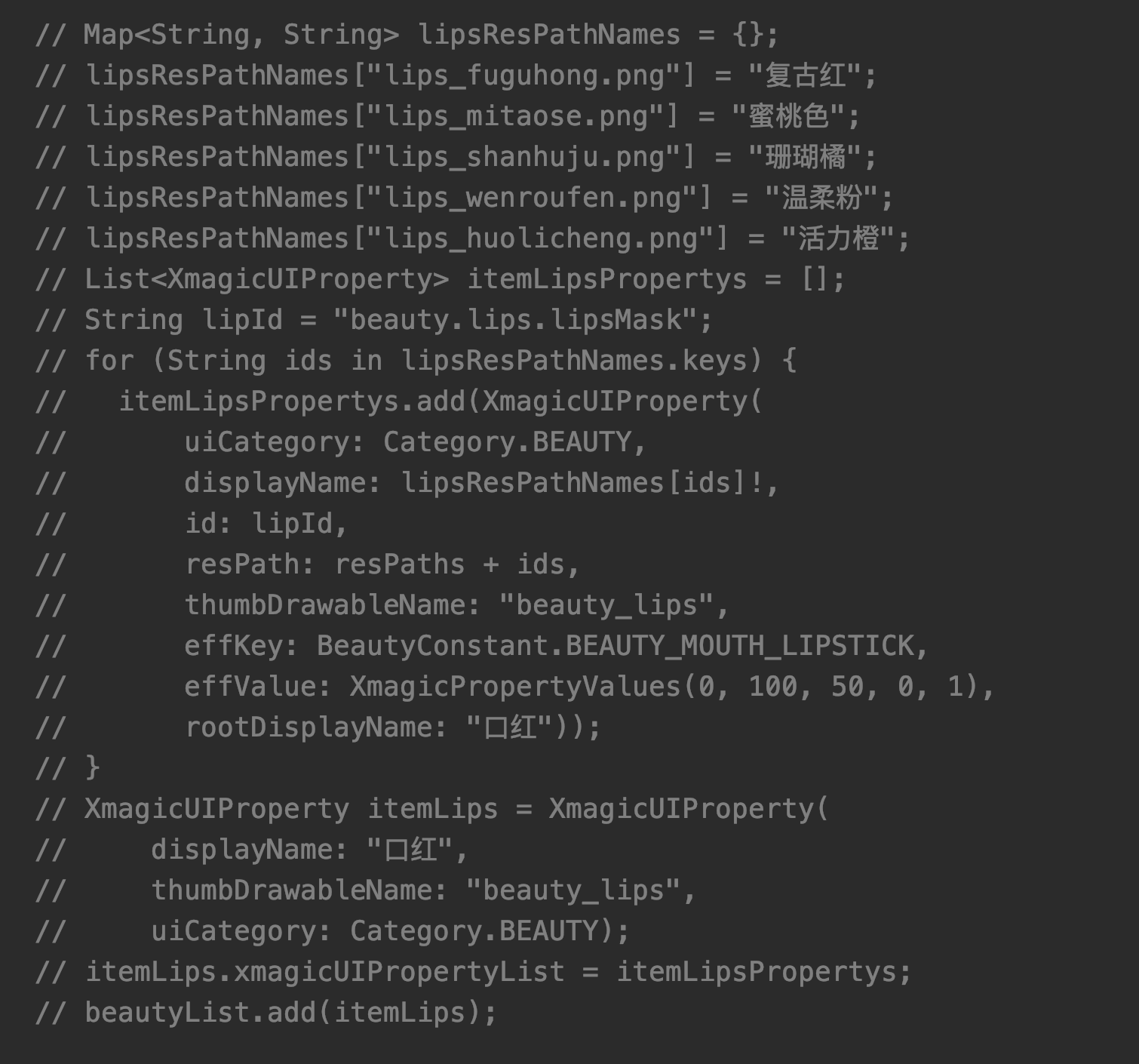
For some licenses that do not authorize certain beauty and body shaping features, these features should not be displayed on the beauty panel. You need to remove these features from the beauty panel data configuration.
For example, to delete the Lipstick Effect, remove the following code from the getBeautyData method in both the BeautyPropertyProducerAndroid and BeautyPropertyProducerIOS classes.