
Creating a User Group

Last updated: 2025-04-18 10:43:35
Overview
Create user groups based on user types to categorize different types of users.
Directions
1. Log in to the BH console.
2. In the left sidebar, choose User Mgmt > User group.
3. On the User group Page, click Create user group, enter the user group name, and click OK to create the user group.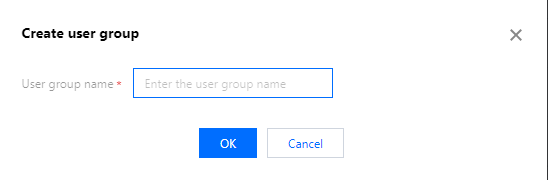
Was this page helpful?
You can also Contact Sales or Submit a Ticket for help.
Yes
No
Feedback