
Local Authentication Settings

Last updated: 2025-04-18 10:58:58
Overview
Set password requirements for Ops personnel in the BH to enhance security.
Directions
1. Log in to the BH console.
2. In the left sidebar, choose System settings > Local authentication.
3. On the Local authentication page, click Edit in the top-right corner and configure the following settings:
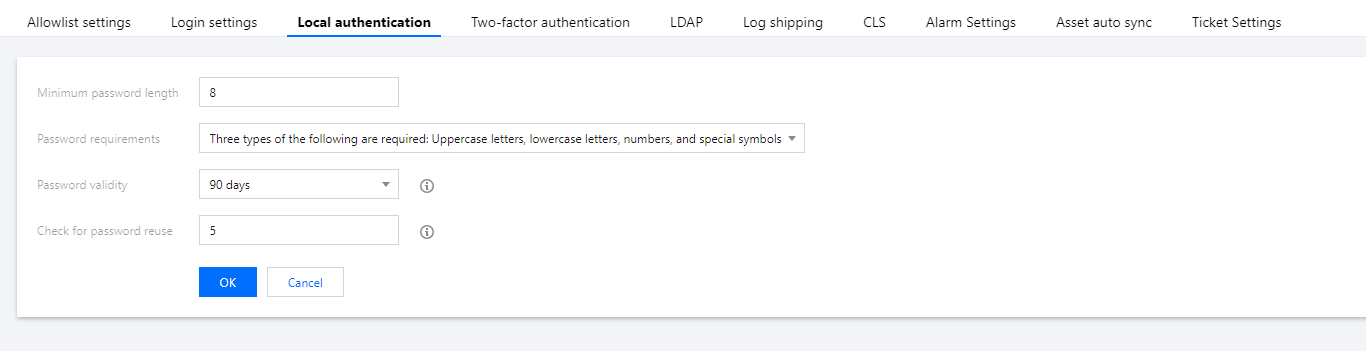
Parameter descriptions:
Minimum password length: Set the minimum length requirement for Ops personnel passwords.
Password requirements: Set the complexity requirements for Ops personnel passwords.
Password validity period: Set the validity period for Ops personnel passwords. Users need to reset their passwords before expiration.
Historical password reuse check: Set the historical password check requirements for Ops personnel.
4. After configuring the required settings, click OK to save the changes.
Was this page helpful?
You can also Contact Sales or Submit a Ticket for help.
Yes
No
Feedback