
Resetting Password

Last updated: 2025-04-18 11:11:09
Overview
When Ops members forget the login password, the password can be reset.
Prerequisites
The administrator has informed the Ops personnel of the login address.
The Ops personnel have completed account activation.
Directions
1. Enter the login address for the Ops page in your browser to open the BH Ops page, then click Forgot password.
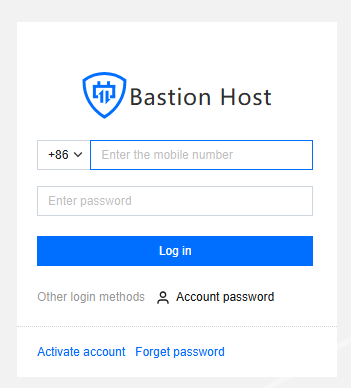
2. On the Password Reset page, enter your phone number, verification code, and email information, then click Submit.
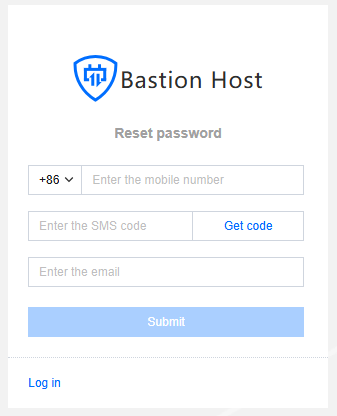
3. After submitting successfully, check your email and follow the instructions in the password reset email to complete the process.
Was this page helpful?
You can also Contact Sales or Submit a Ticket for help.
Yes
No
Feedback