
Creating an Ops Task

Last updated: 2025-04-18 11:11:08
Overview
With the BH, you can execute commands on multiple Linux hosts in batches simultaneously. Additionally, you can configure execution cycles to automate Ops tasks.
Prerequisites
The administrator has informed the Ops personnel of the login address.
The administrator has granted host access permissions to the Ops personnel.
The Ops personnel have completed account activation.
You have purchased the Professional Edition of the BH or upgraded it to this edition.
Directions
1. Enter the Ops page login address in a browser to open the BH Ops page. Enter your phone number and password to log in to the BH. Alternatively, click Account password to switch to login with account name and password.
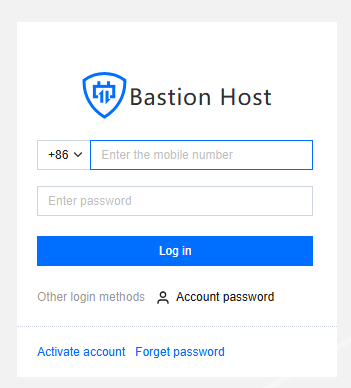
2. After entering the BH, choose Auto Ops in the left sidebar.
3. On the Ops Tasks page, click Create to open a new Ops task panel.
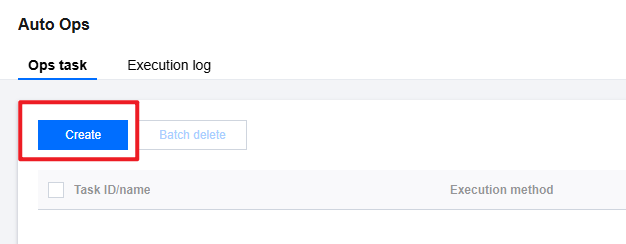
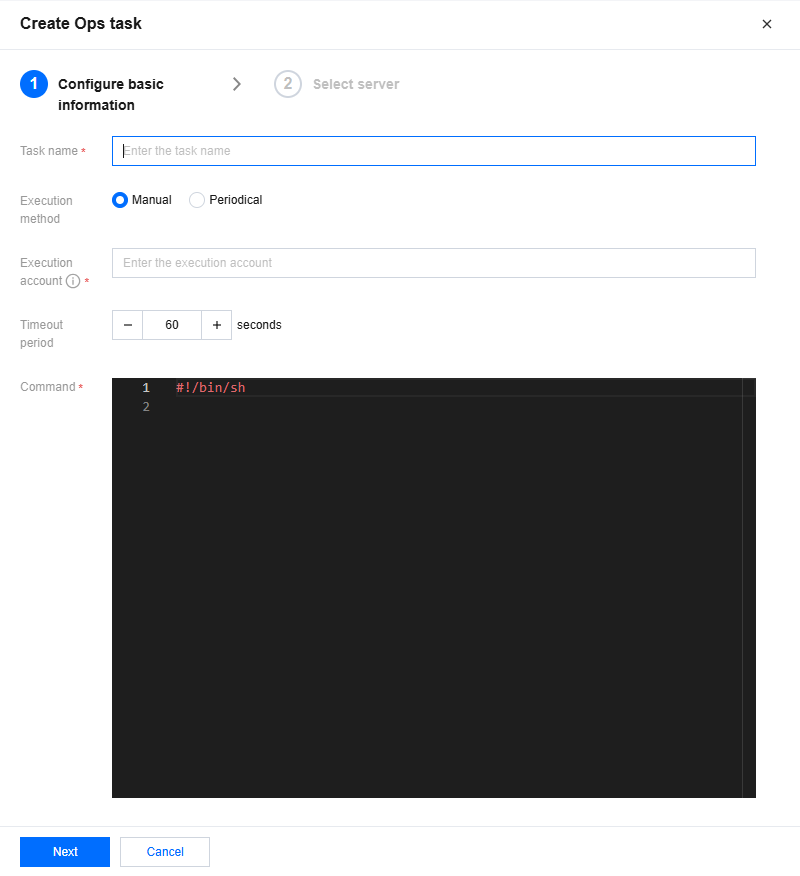
4. On the Ops task panel, configure the following information:
Parameter Name | Description |
Task name | Customize the name of the Ops task. |
Execution method | Select the execution method for the task. If Periodic Execution is selected, the execution cycle should also be configured. |
Execution account | Specify the host account information for executing the Ops task. Ensure the execution account has been granted access permissions and is configured with a managed password/key. |
Timeout period | Specify the timeout period for the task. |
Execution command | Enter the command to be executed. |
5. After completing the basic information configuration, click Next to select the hosts on which the task will be executed.
6. After selecting the hosts, click Finish to create the Ops task.
Was this page helpful?
You can also Contact Sales or Submit a Ticket for help.
Yes
No
Feedback