
Permission tickets

Last updated: 2025-04-18 11:11:09
Overview
When the current account attempts to perform an unauthorized operation, the system triggers an operation block and automatically generates a ticket for permission application. The application description is automatically generated based on the attempted operation.
Prerequisites
The administrator has informed the Ops personnel of the login address.
The administrator has granted host access permissions to the Ops personnel.
The Ops personnel have completed Account Activation.
You have purchased the Professional Edition of the BH or upgraded it to this edition.
Directions
Viewing Ticket List
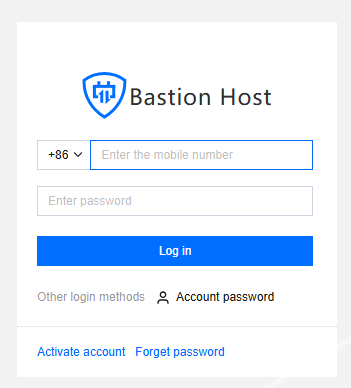
1. Enter the Ops page login address in a browser to open the BH Ops page. Enter your phone number and password to log in to the BH. Alternatively, click Account password to switch to login with account name and password.
2. In the left sidebar, choose My Tickets > Permission tickets.

Note
Permission ticket generation logic: When the current account attempts to perform an unauthorized operation, the system triggers an operation block and automatically generates a permission ticket. The application description is automatically generated based on the attempted operation. If the application description matches the resource ID and the status is set to Draft, the system will not generate duplicate tickets.
Viewing Ticket Details
You can click the Ticket ID n the permission ticket list to view the ticket details.
Submitting a Ticket
You can submit a permission ticket in the Draft status by clicking the submit feature in the operation column. Once it is submitted, the ticket status changes to Pending Approval.
Note
If the administrator has enabled the Auto-submit Permission Ticket feature, the system will automatically submit the permission ticket after it is generated.
Withdrawing a Permission Ticket
You can withdraw a permission ticket in the Pending Review status by clicking the withdraw feature in the operation column. After withdrawal, the ticket status changes to Draft.
Deleting a Permission Ticket
You can delete a permission ticket in the Draft, Approved, Rejected, or Expired status by clicking the Delete feature in the operation column.
Note
If the ticket status is Approved, deleting it will also remove the related content of the permission ticket application. Operate with caution.
Was this page helpful?
You can also Contact Sales or Submit a Ticket for help.
Yes
No
Feedback