
Unable to Invoke Local XShell or SecureCRT

Last updated: 2025-04-18 11:17:41
Phenomenon Description
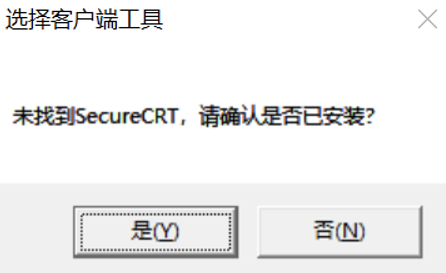
Although Xshell or SecureCRT has been installed, clicking to access Linux resources does not trigger the BHLoader plugin to launch the corresponding tool. Instead, the following file selection dialog box appears.
Possible Causes
The tool is not installed in the default directory (C:\\Program Files or C:\\Program Files (x86)), preventing the BHLoader plugin from launching the tool directly.
Solutions
Reinstall Xshell or SecureCRT using the default installation path, or manually specify the tool's path.
Directions
1. Reinstall Xshell or SecureCRT and select the default directory for installation: C:\\Program Files or C:\\Program Files (x86).
2. When Ops users access a resource using the tool for the first time, BHLoader will display a prompt asking whether the tool is installed. Select Yes.
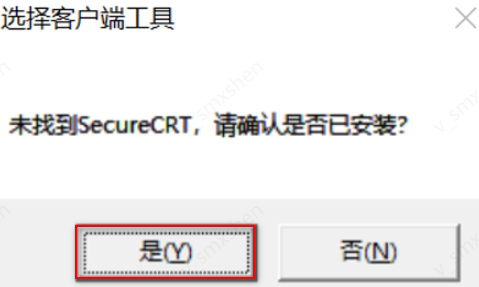
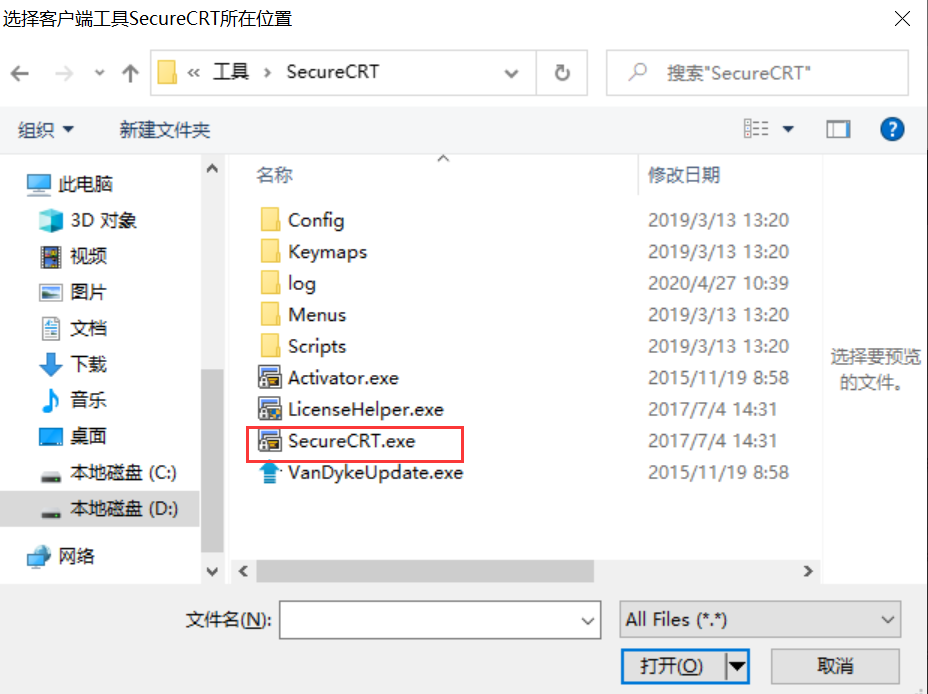
3. In the client tool selection popup, select the installation directory and application for Xshell/SecureCRT. BHLoader will save the selected configuration, eliminating the need to select again in the future.
Select Xshell program
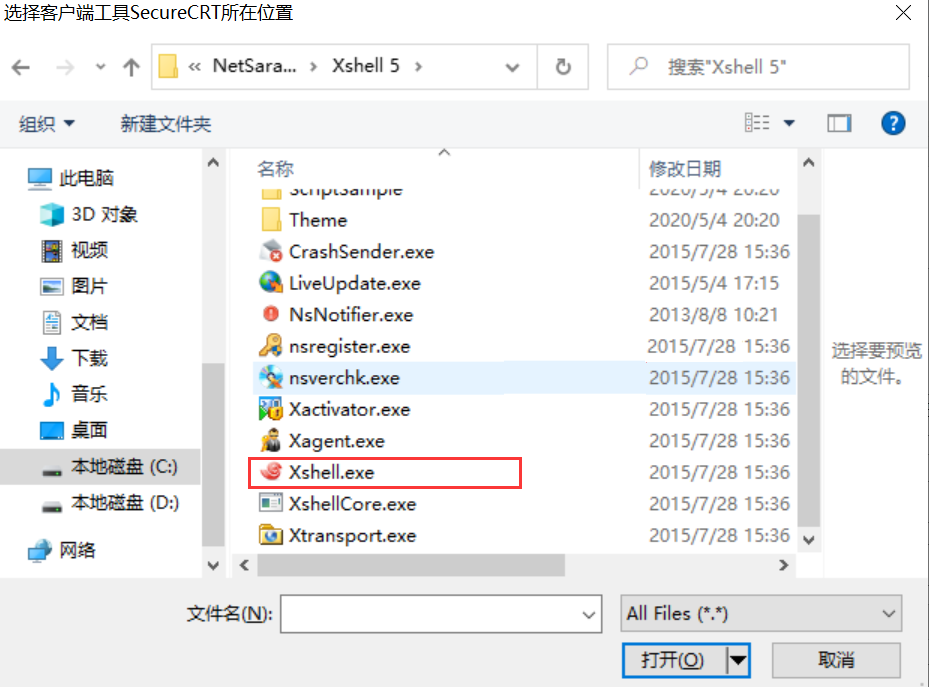
Select Xshell program
Was this page helpful?
You can also Contact Sales or Submit a Ticket for help.
Yes
No
Feedback