
Staff Internal Session

Last updated: 2025-10-28 10:02:19
Feature Overview
Staff can initiate internal sessions for communication, by sending text, images and other methods.
Initiate a Conversation
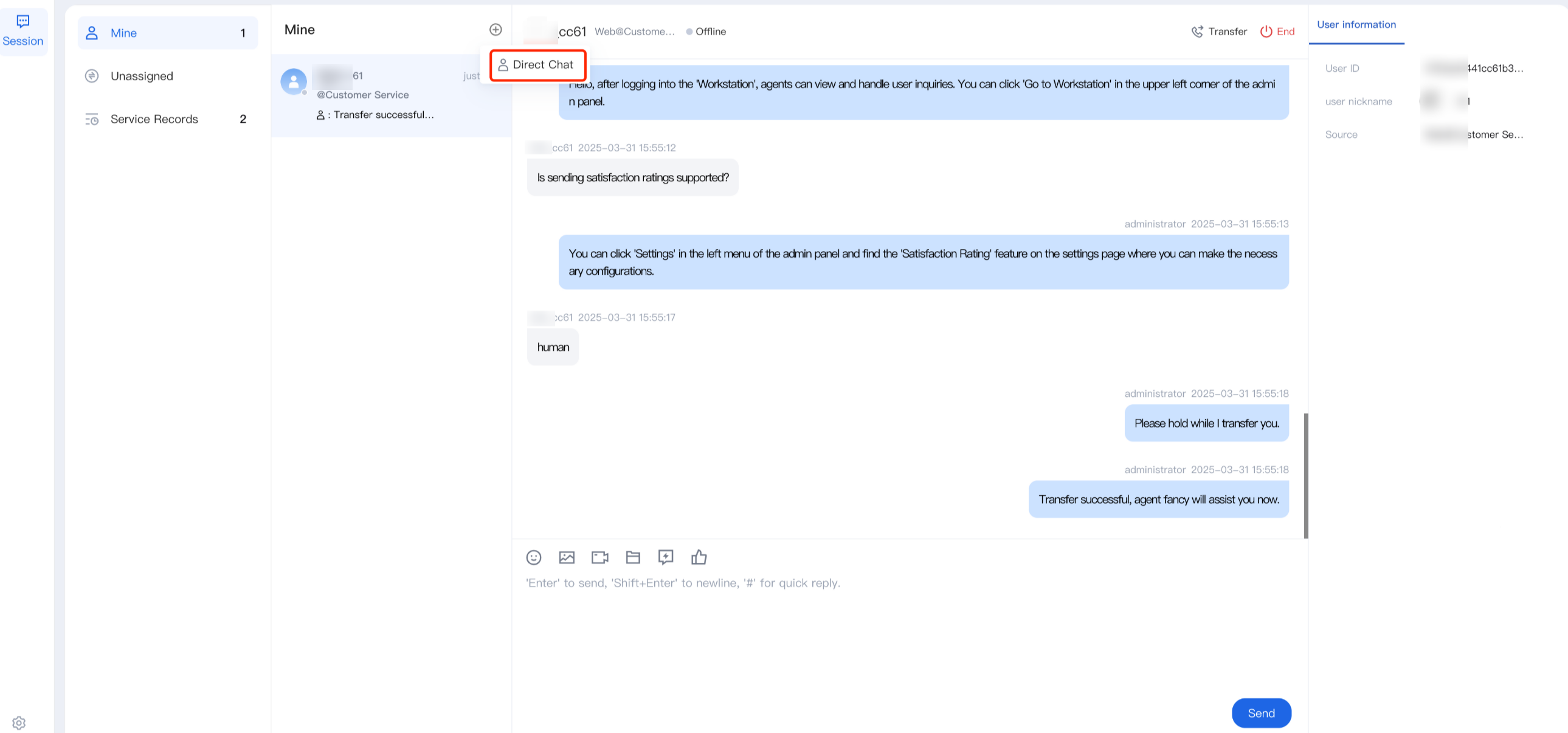
Step 1: Click the Add button in the upper left corner of the workspace and select Direct Chat
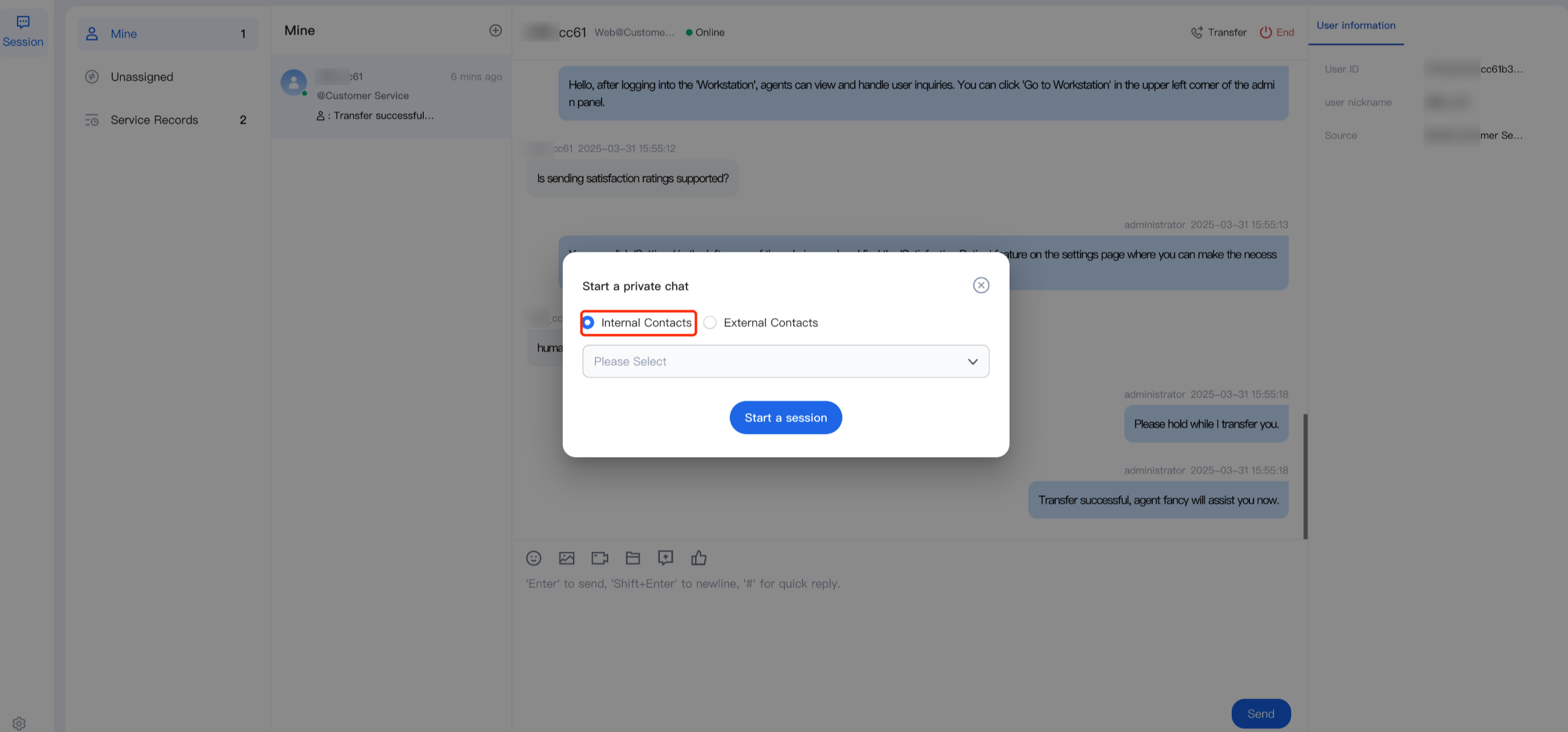
Step 2: In the pop-up window, select Internal Contacts, search for the staff's nickname or account, and click Start a session to open the conversation.
Do Not Display Sessions
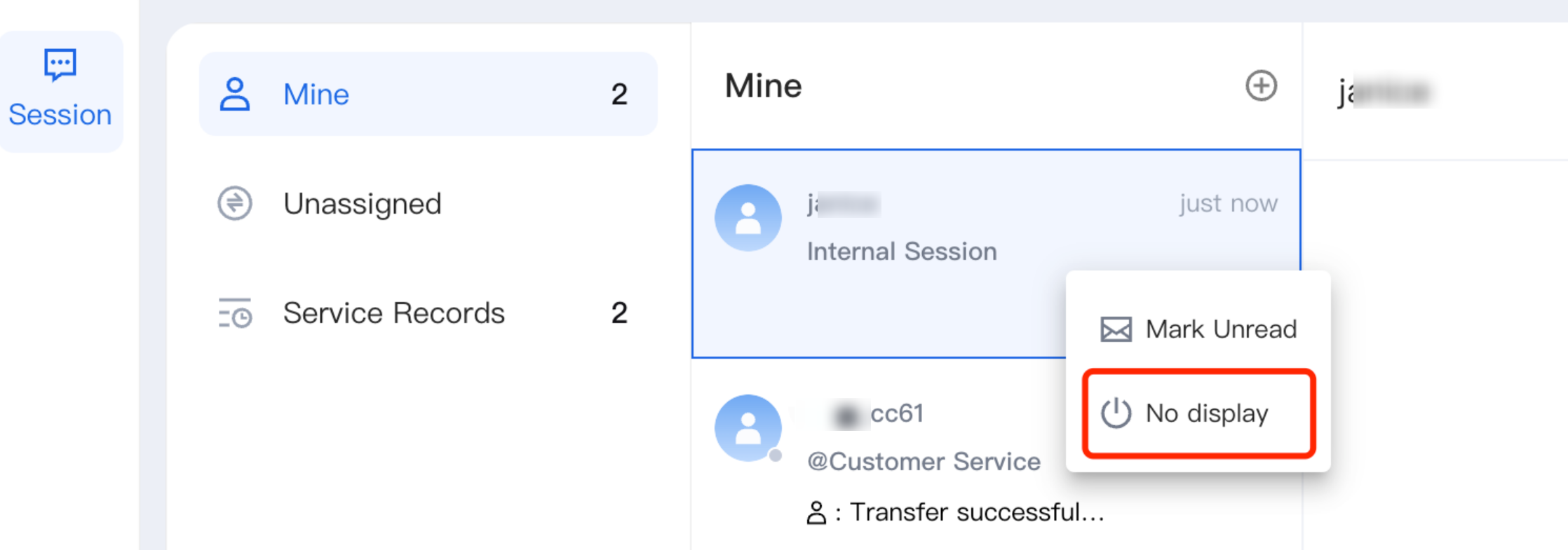
If there is no need to display the completed internal conversation, right-click and select No display. This operation will not delete the chat record.
Was this page helpful?
You can also Contact Sales or Submit a Ticket for help.
Yes
No
Feedback