Requests Per Second (RPS) is generally used to measure the throughput of the server. Compared to the concurrency mode, it is more suitable for assessing the server performance. We can use the native Constant Throughput Timer of JMeter to limit the RPS for each thread.
Configuring the RPS Limit
RPS depends on the performance testing concurrency and the service response time. If the concurrency is too high, the backend service may be overwhelmed by excessive performance load. If the concurrency is too low, the specified RPS may not be reached.
To avoid overwhelming the backend service due to excessive performance load and to assess the performance limit of the backend service, you can set the Constant Throughput Timer to restrict the upper limit of RPS for threads.
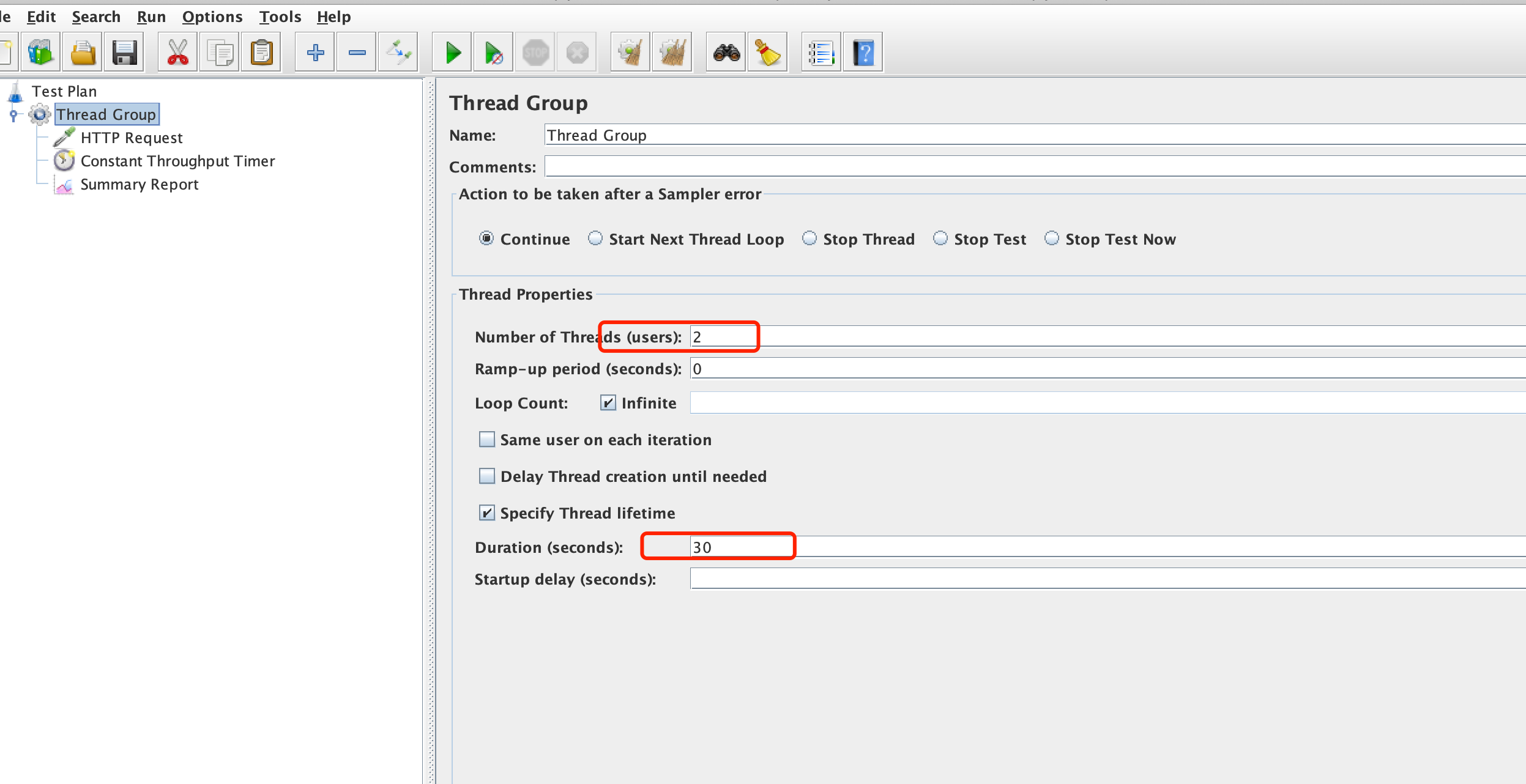
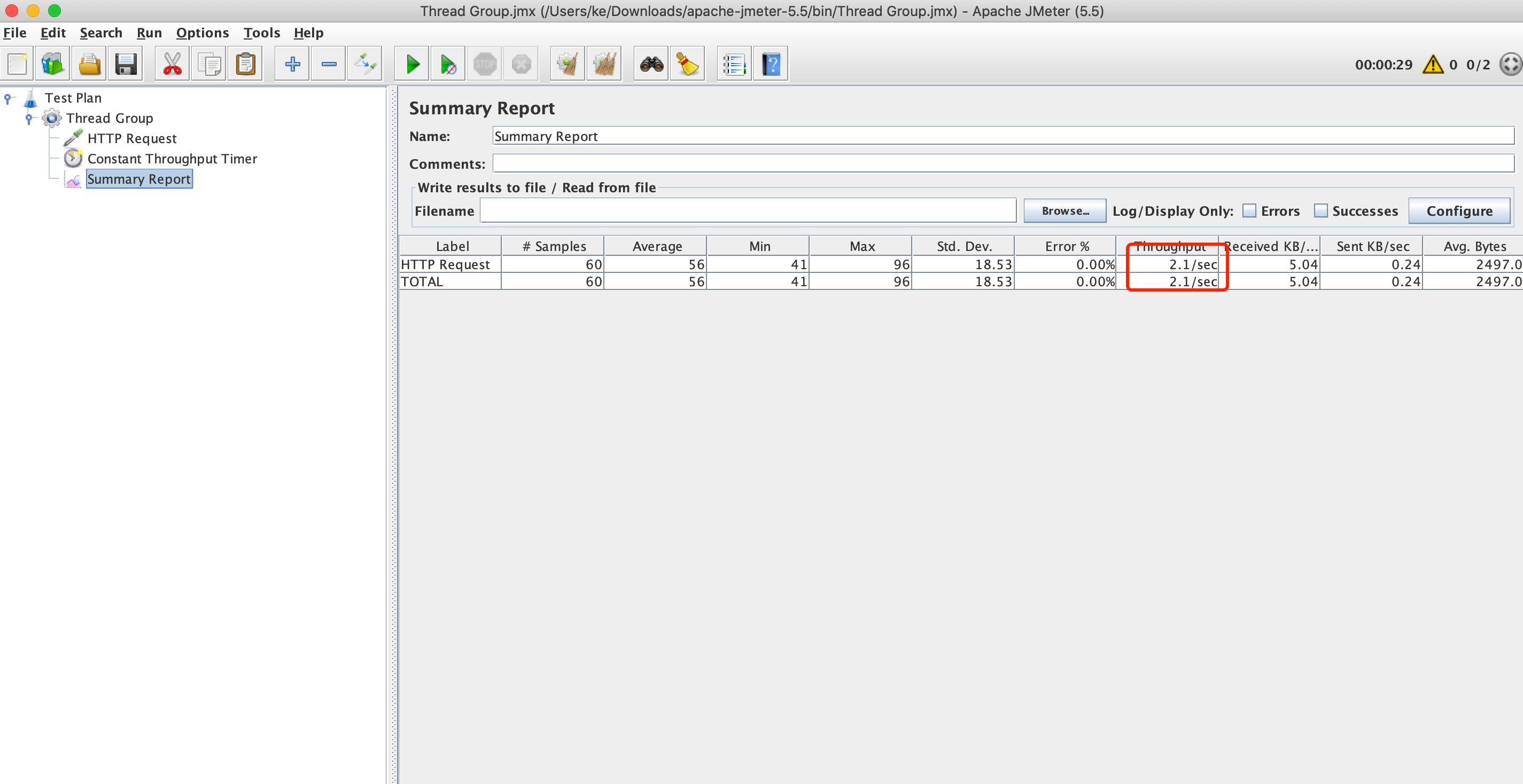
In the following example, we add a thread group by using JMeter. The thread group contains 2 threads, with the upper limit of RPS set to 1 for each thread.
Run threads for 30 seconds and check whether the final total RPS is 2 reqs/s, which is calculated as follows: 1 reqs/s/thread x 2 threads = 2 reqs/s.
1. Set the thread group concurrency to 2 and run threads for 30 seconds.
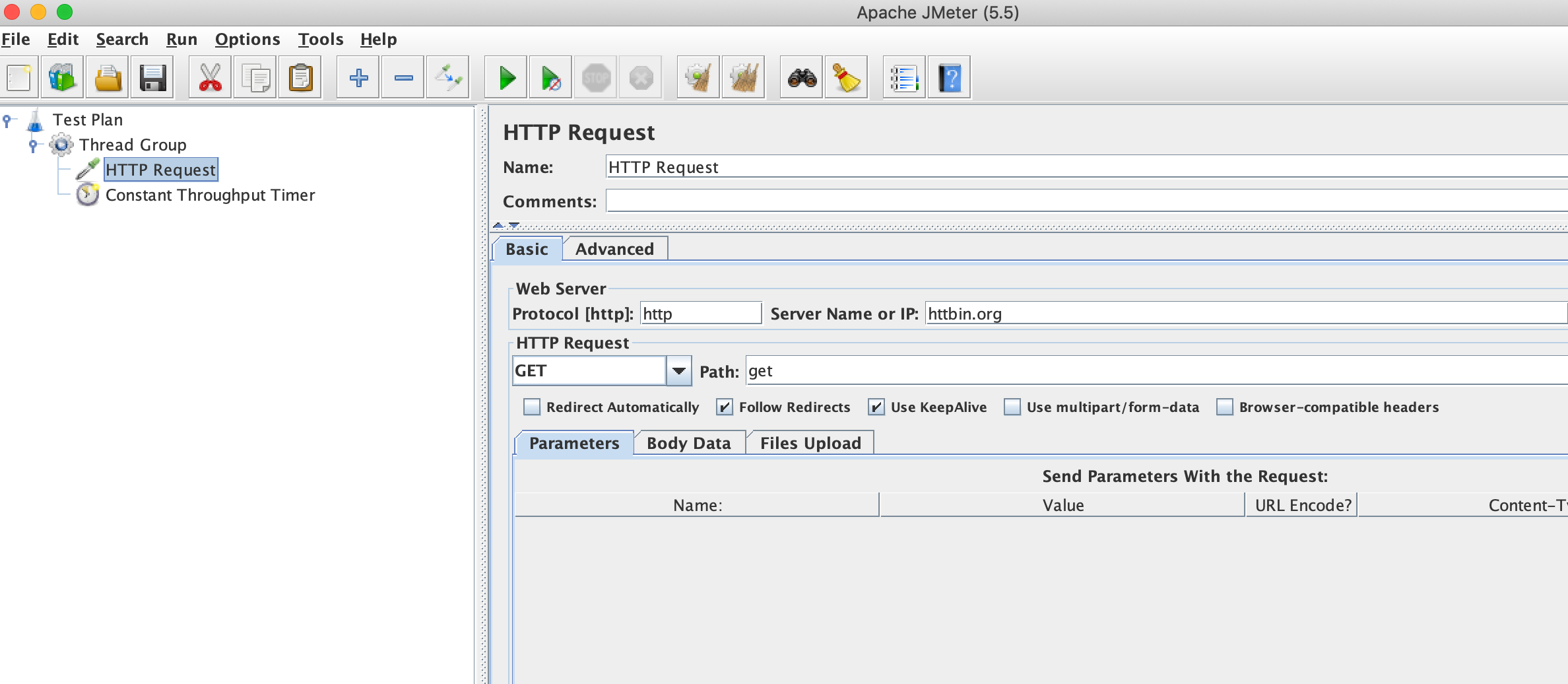
2. Add an HTTP sampler to simulate the scenario of sending HTTP requests.
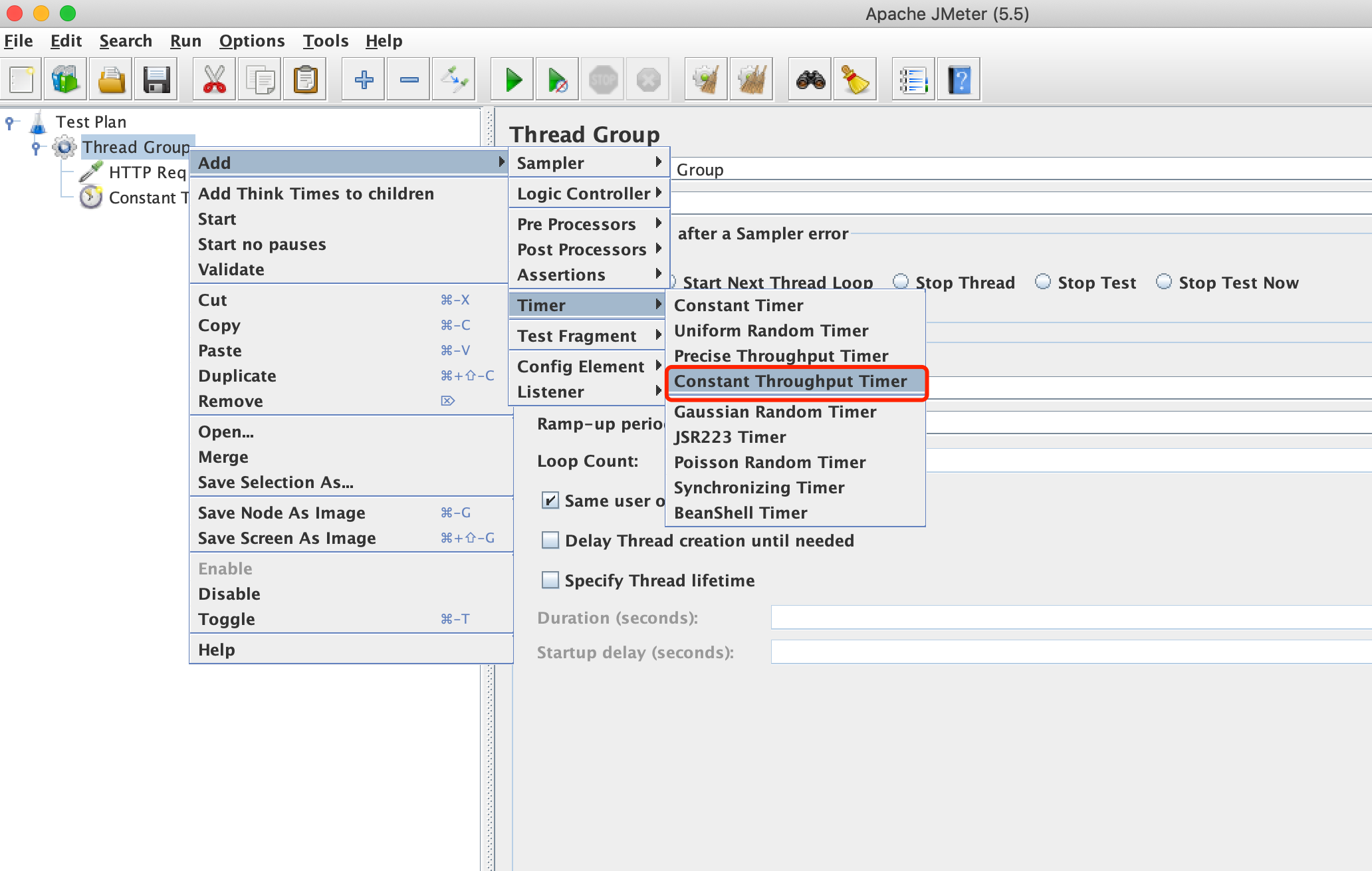
3. Right-click Thread Group and choose Timer > Constant Throughput Timer.
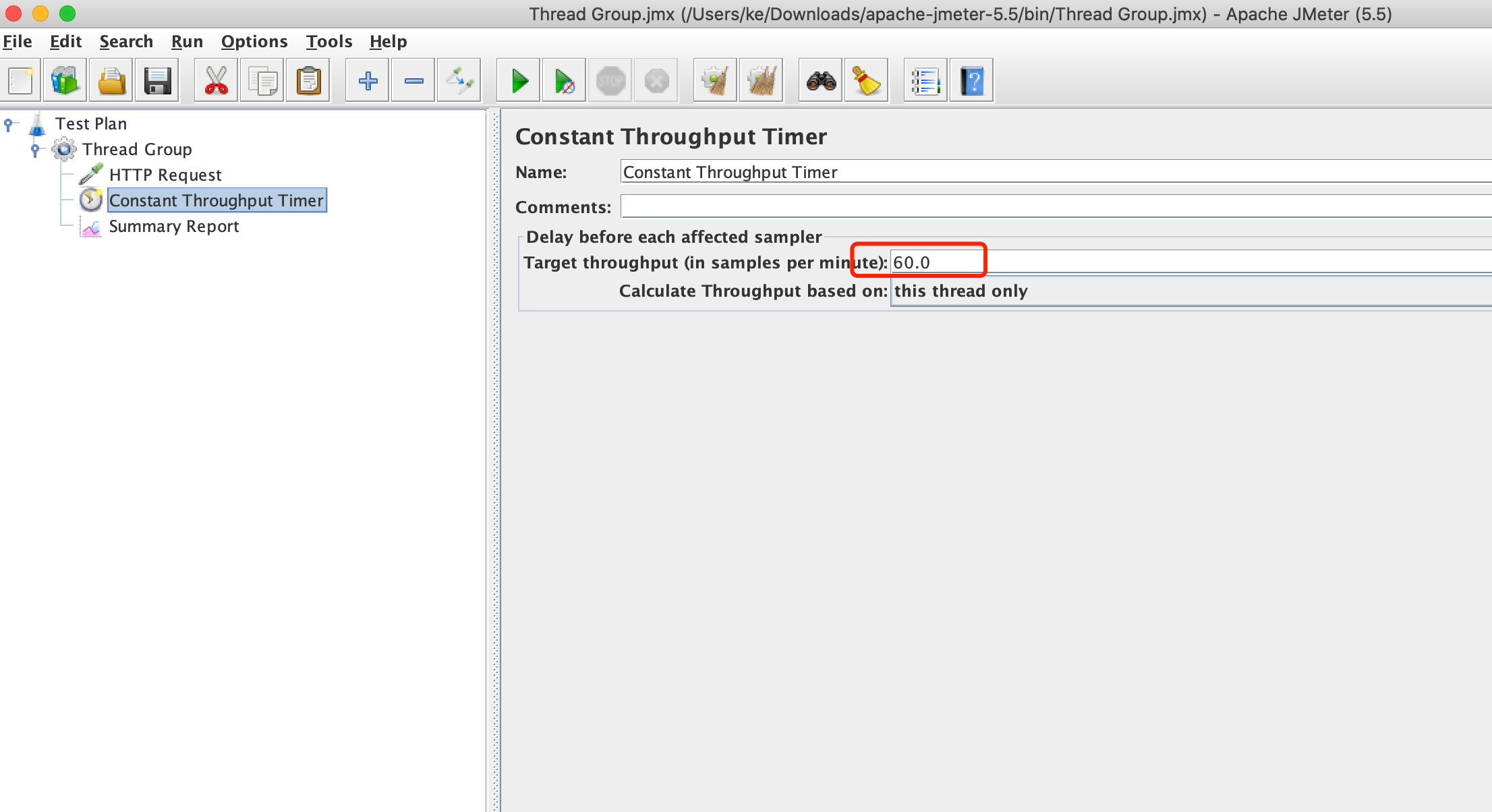
4. Set the upper limit of RPS to 1 reqs/s, namely, 60 reqs/min, for each thread.
Note:
1. Target throughput The default unit is minute. If you want to set the RPS for a single thread to 1 reqs/s, you should enter 60 in the JMeter form, namely, 60 reqs/min.
2. Calculate Throughput based on should be set to this thread only, which means that you set the RPS for a single thread. When the concurrency configured by the user is large, PTS will split the performance testing tasks and distribute them to multiple JMeter engines for execution. Other options are only valid for a single engine and cannot be used globally.
3. If you want to set a global RPS limit, you can divide the global RPS by the concurrency to obtain the RPS limit for a single thread.
5. Check the result report to confirm whether the RPS is close to 2 reqs/s.