
Downloading Reports

Last updated: 2025-03-10 16:55:56
This document introduces how to download the historical reports of a completed performance testing task.
Operation Steps
1. Log in to the TCOP console.
2. Choose PTS > Test Scenarios in the left sidebar.
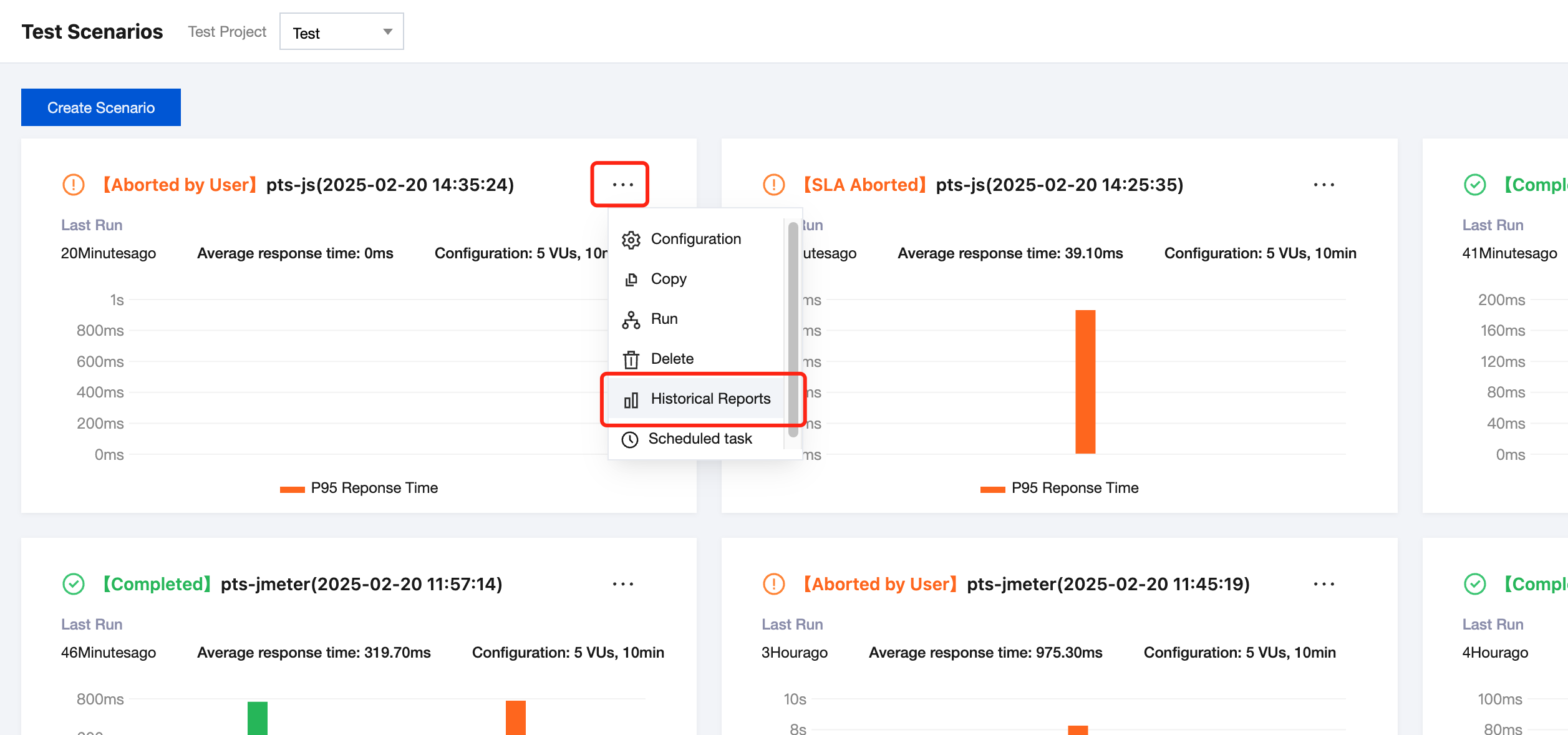
3. In the top-right corner of Test Scenarios, click 
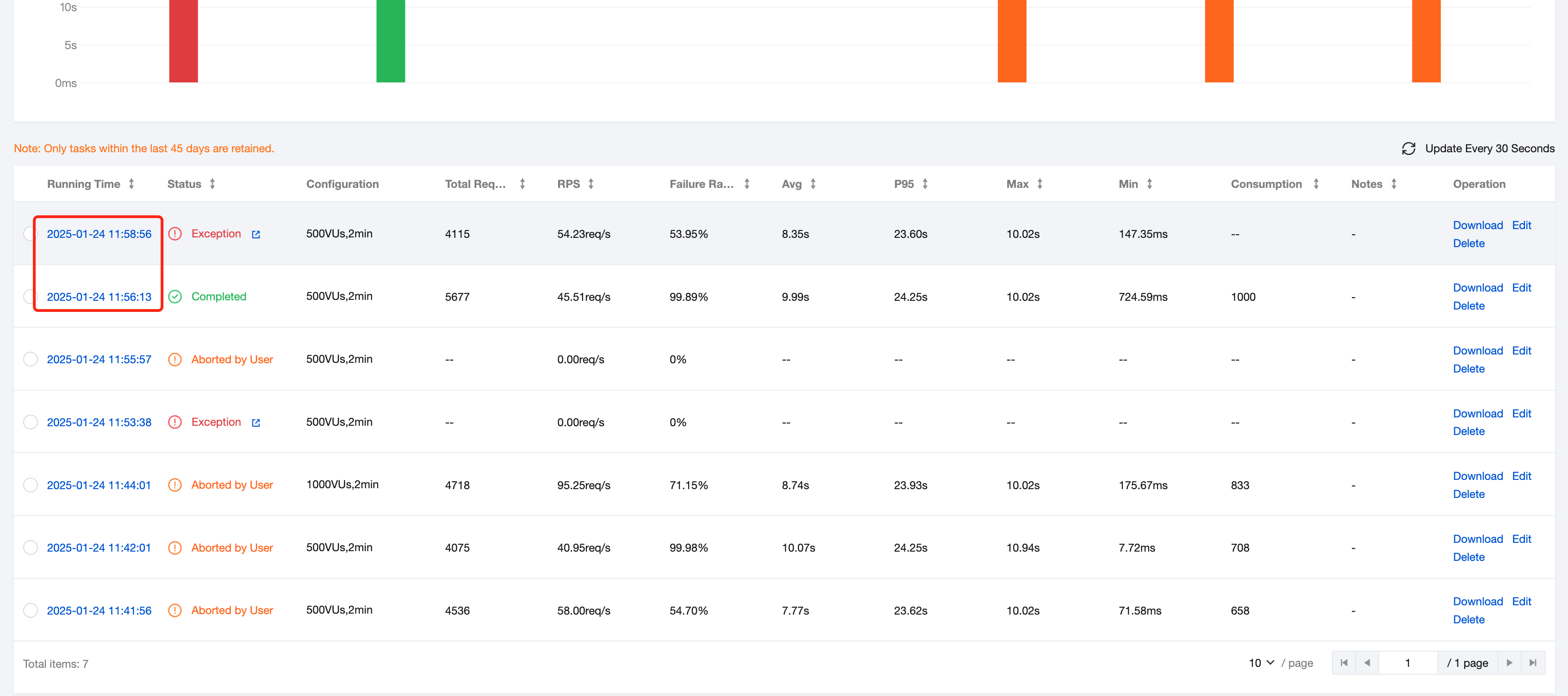
4. On the Historical Report page, click the historical report you want to download.
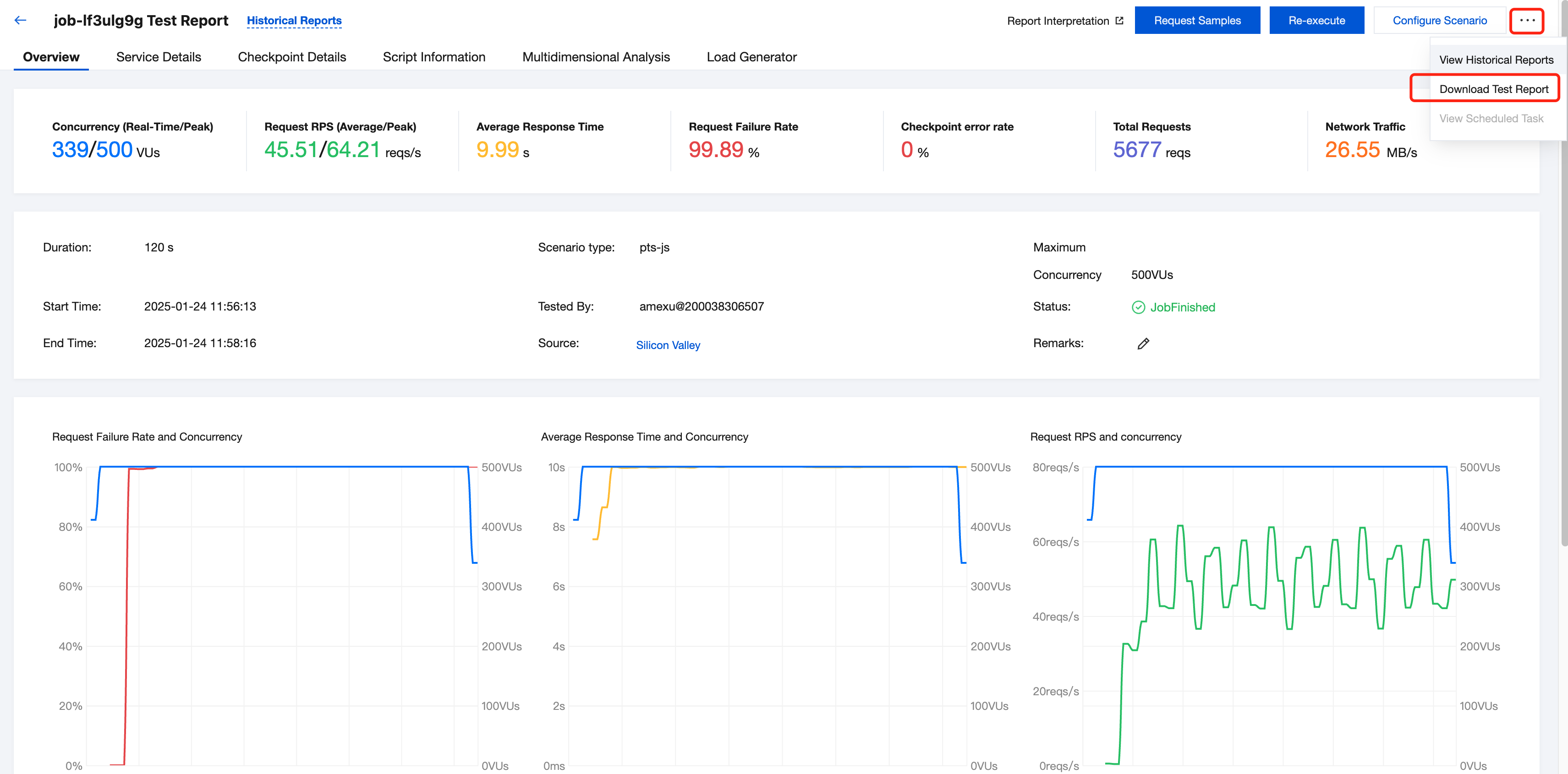
5. On the Report page, click 
Was this page helpful?
You can also Contact Sales or Submit a Ticket for help.
Yes
No
Feedback