
AI-Based Solutions

Last updated: 2025-04-22 20:41:26
Our AI solution leverages Tencent's extensive historical defect repair knowledge base and user experience management expertise to build a vertically-focused AI-enhanced observability analysis engine. It achieves an AI-driven defect management loop through the following layers:
Data Layer: Integrates multi-dimensional data sources (crash stacks, device information, user behavior logs, version distribution, etc.) and relies on Tencent's ecosystem with billions of terminal coverage to train highly generalized crash analysis models.
Analysis Layer: Combines LLM (Large Language Models) with domain knowledge bases to enable natural language-driven root cause identification, contextual correlation analysis, and solution generation, overcoming the limitations of traditional rule engines.
Application Layer: Through developers' natural "case deposition" operations, it defines suggestion adoption, forming a positive cycle of continuous model optimization. This also helps enterprises continuously build their exclusive knowledge bases, significantly improving the accuracy and scenario adaptability of AI diagnostics.
Prerequisites
Steps
Step 1: Properly initialize the Terminal Performance Monitoring SDK and enable the crash monitoring feature.
iOS:Please refer to Integration and Initialization.
Android:Please refer to Integration and Initialization.
Step 2: Trigger a client crash and check the console.
1. Trigger client Crash and restart the application. View logs to confirm that Crash data reporting is successful.
Android:Refer to Crash and ANR Monitoring.
IOS:Refer to Viewing QAPM Work Log.
2. Log in to Terminal Performance Monitoring, view the reported issue in the Crash monitoring module, and enter the issue details.
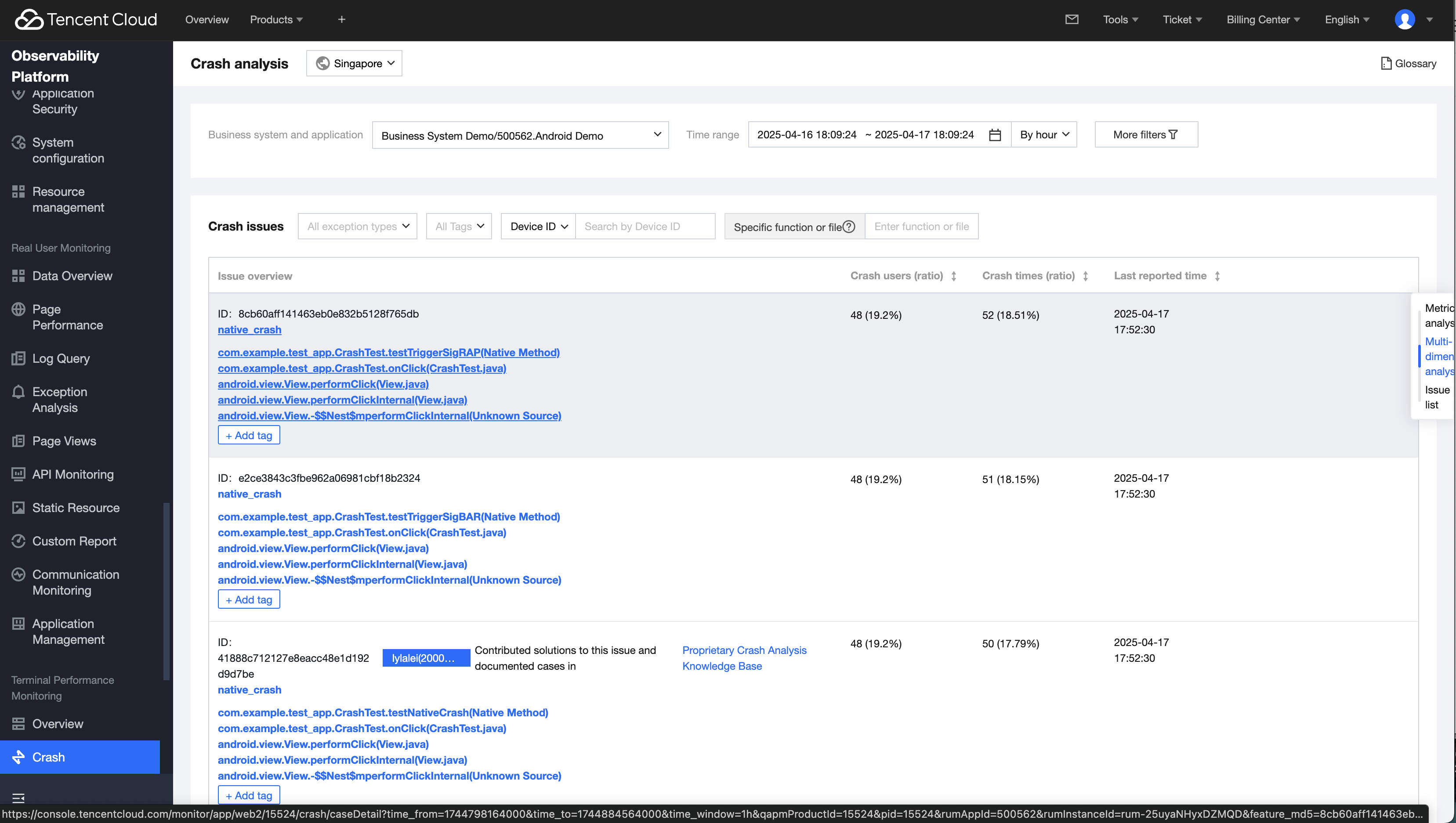
Step 3: Complete Symbol File Upload and Sample Translation
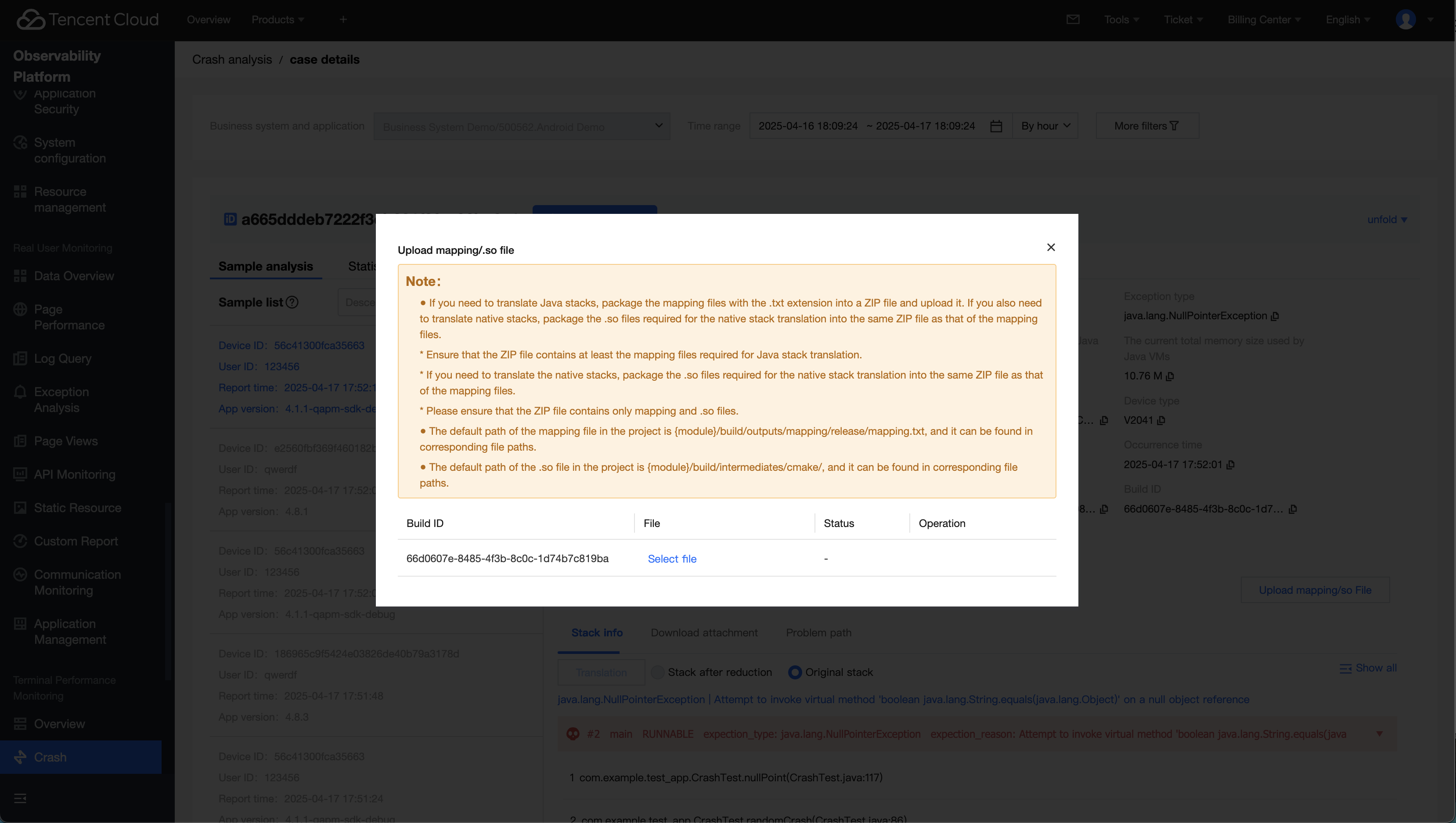
1. On the issue detail page, click the button to upload/update the symbol file. Refer to the note to complete the packaging and uploading of the symbol file.
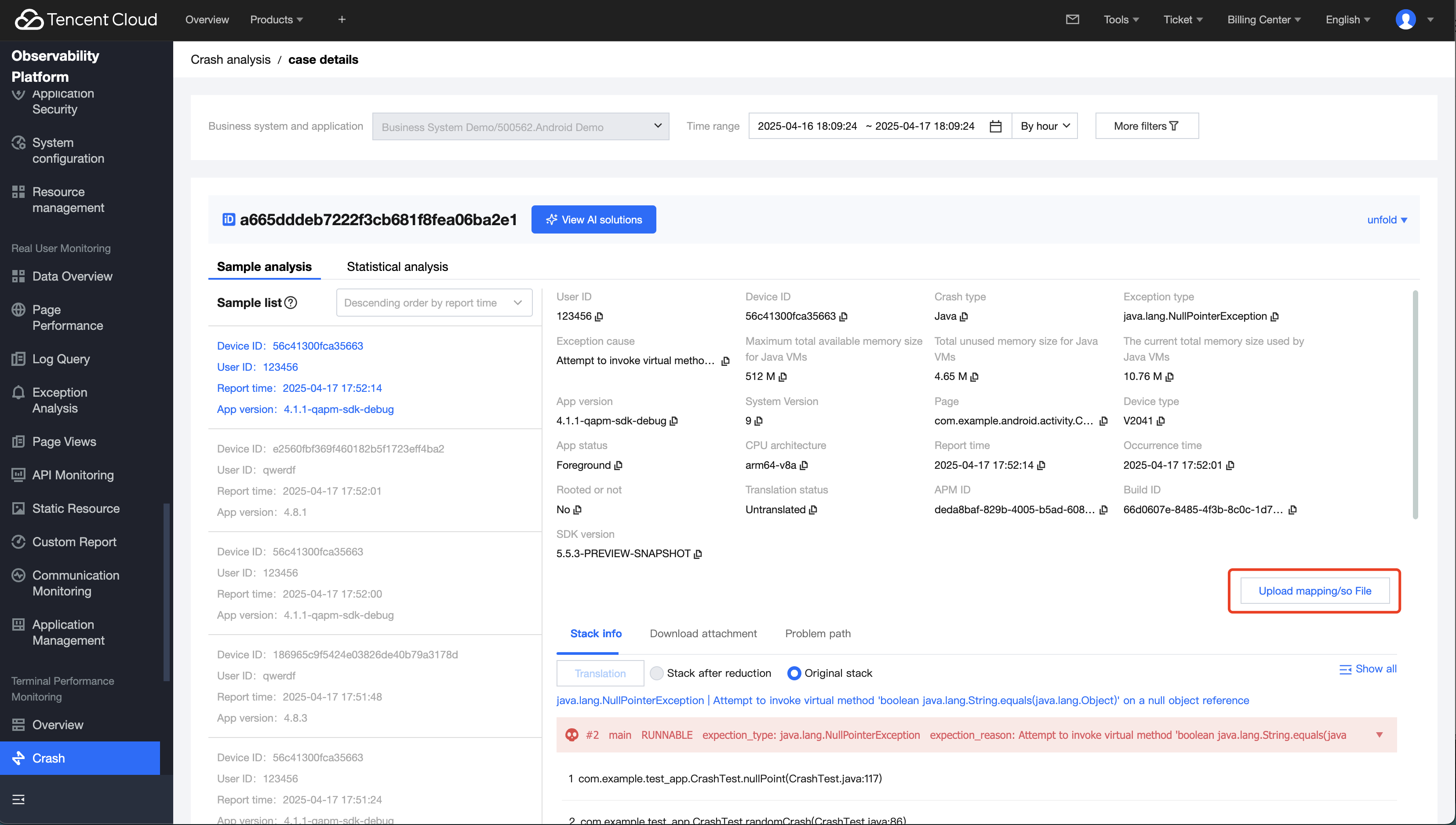
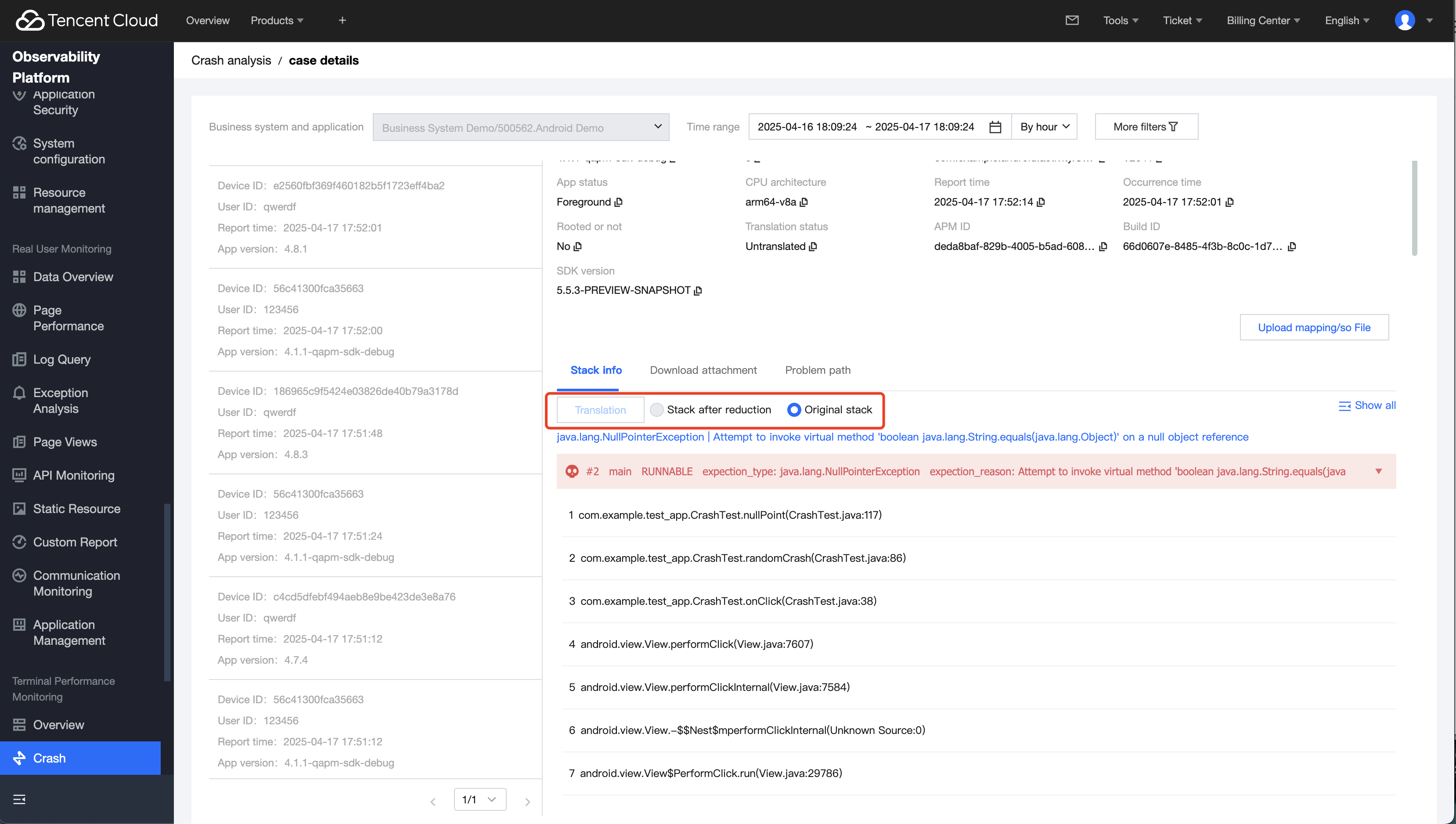
2. Click Translation/Re-translate, compare the stack information before and after translation, and confirm that the symbol file is uploaded correctly and the translation is error - free.
Step 4: Generate AI Solutions
1. Click AI Solution Generation. This will trigger the AI solution generation for the specified issue. Generally, it takes 10s - 20s. During this period, you can first view the problem stack, logs and other information to get a preliminary understanding of the situation of the issue.
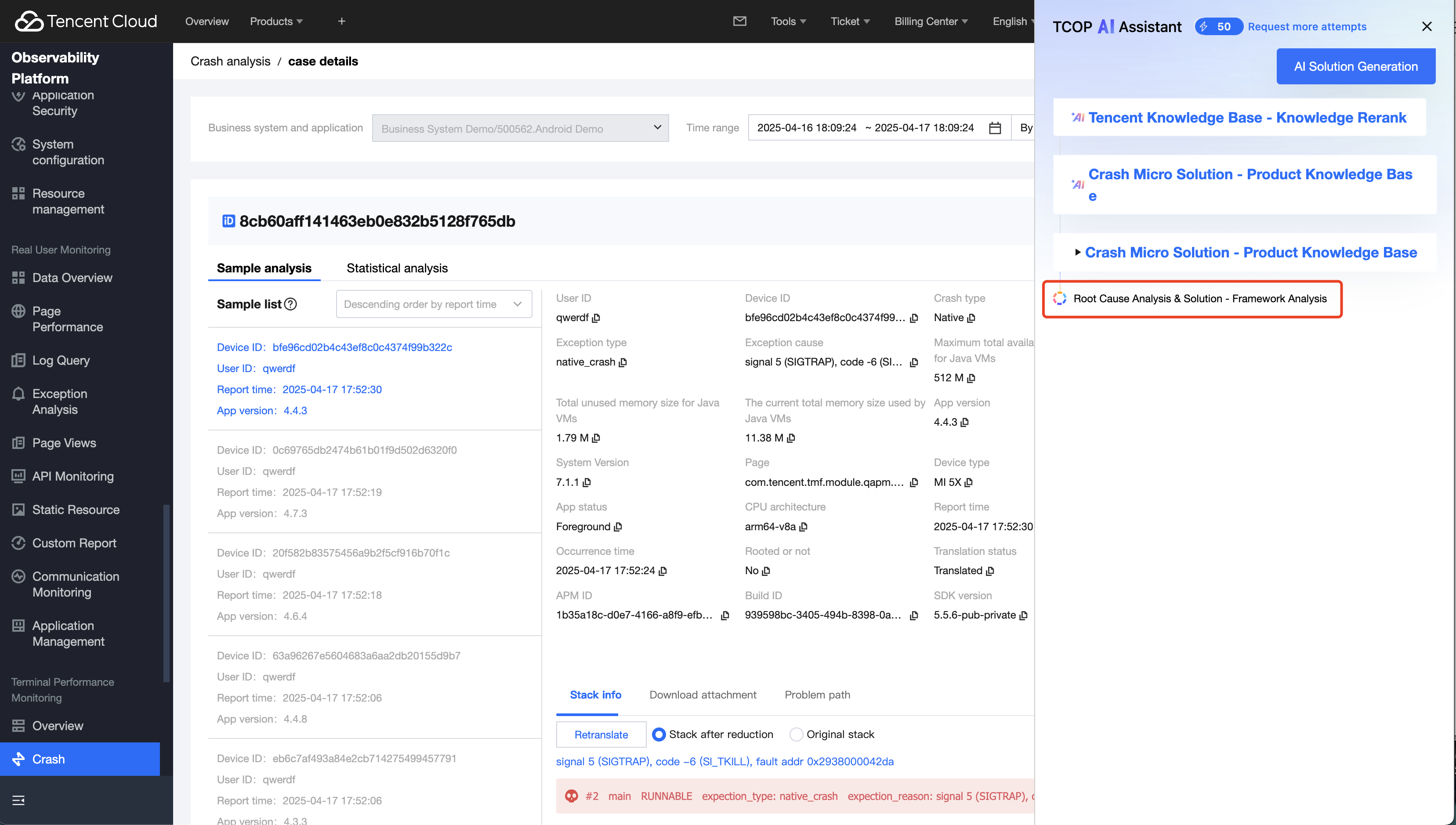
2. After the solution generation is completed, you will obtain the root cause of the problem and code - level solution recommendations. You can refer to the sample code to complete the defect fix and verification of your project code.
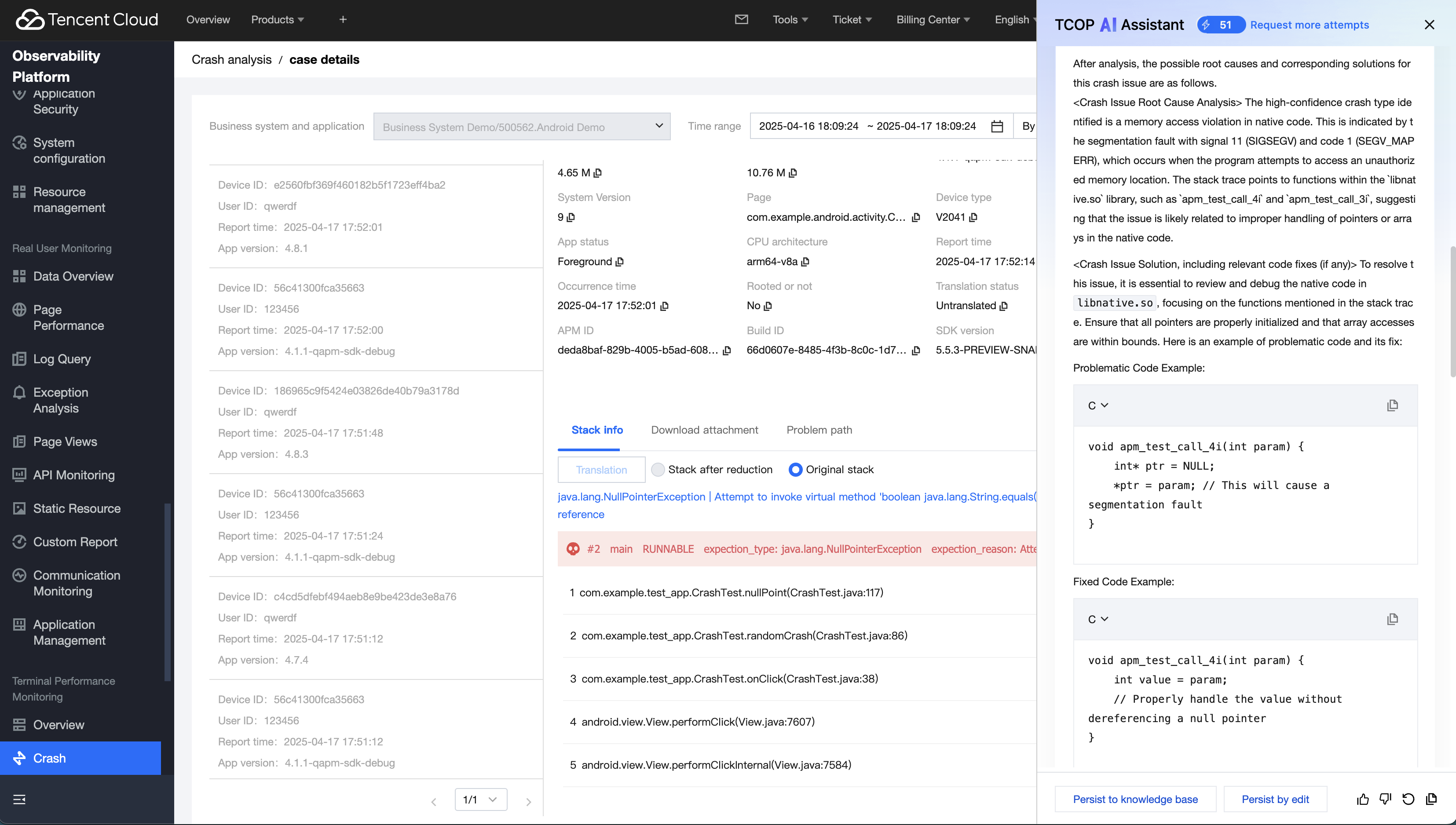
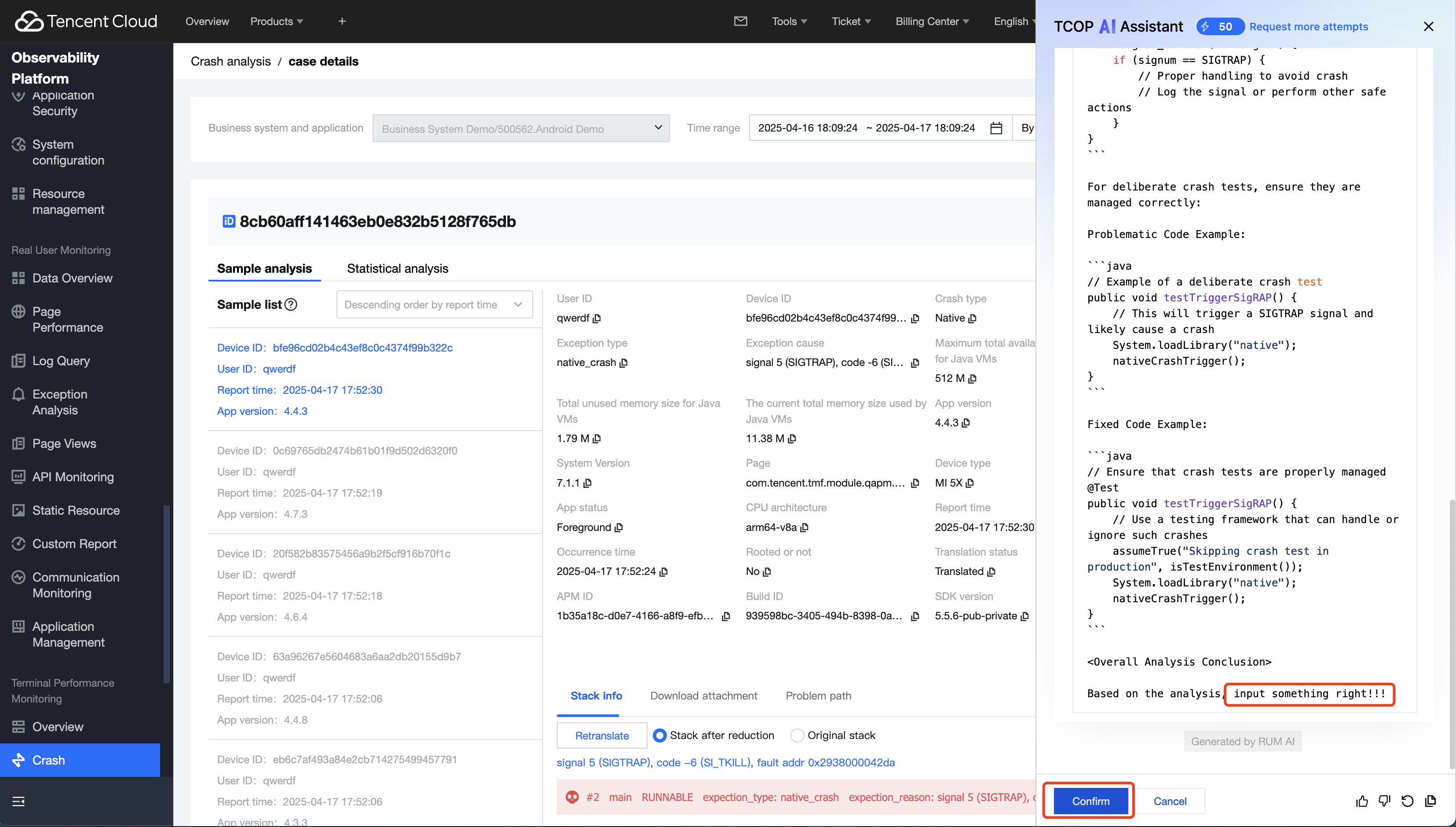
Step 5: Solution Correction and Case Deposition.
1. After completing the analysis and resolution of the issue, you can deposit the problem case into your exclusive knowledge library. This will significantly improve the accuracy and scenario adaptability of your future AI solution generation.
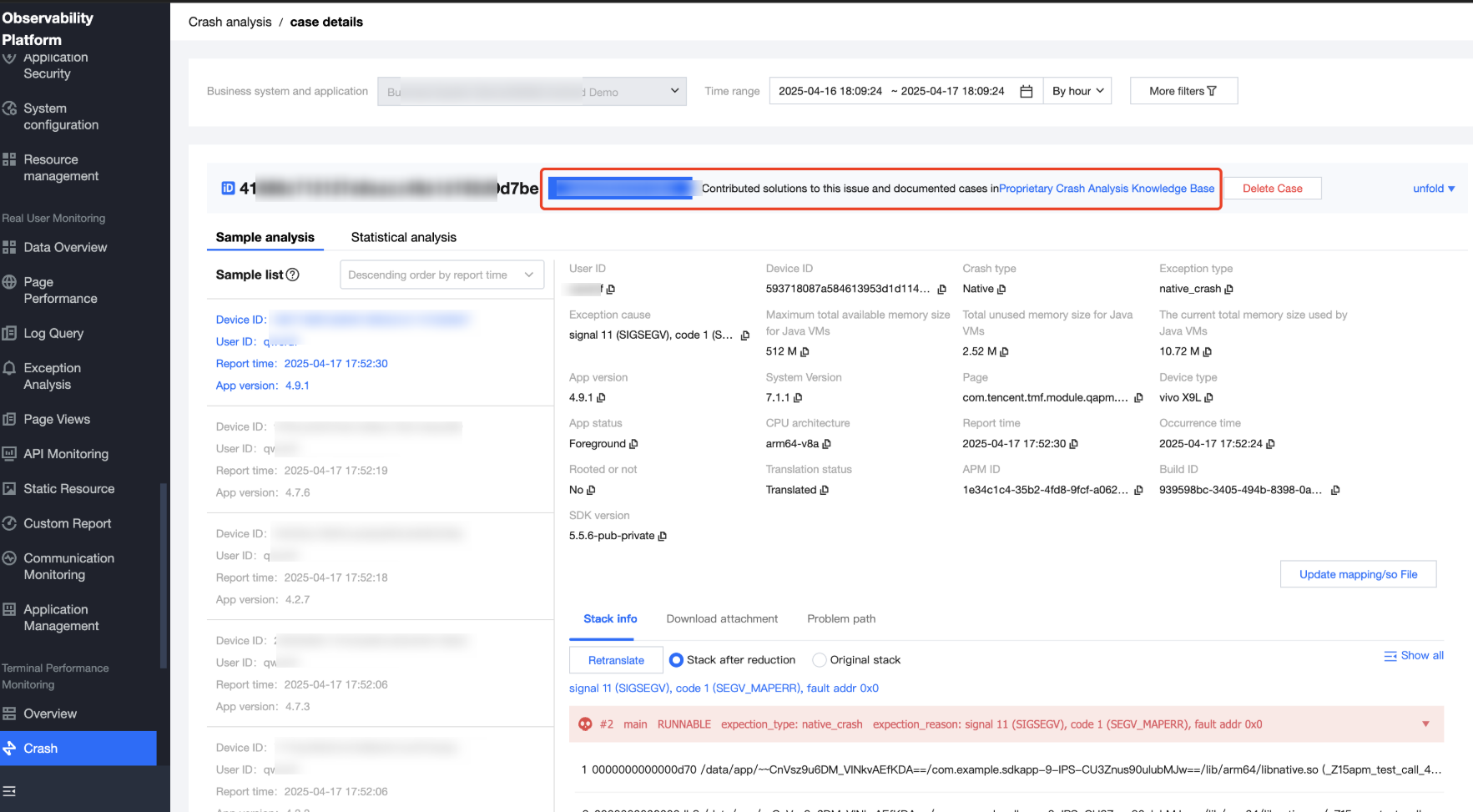
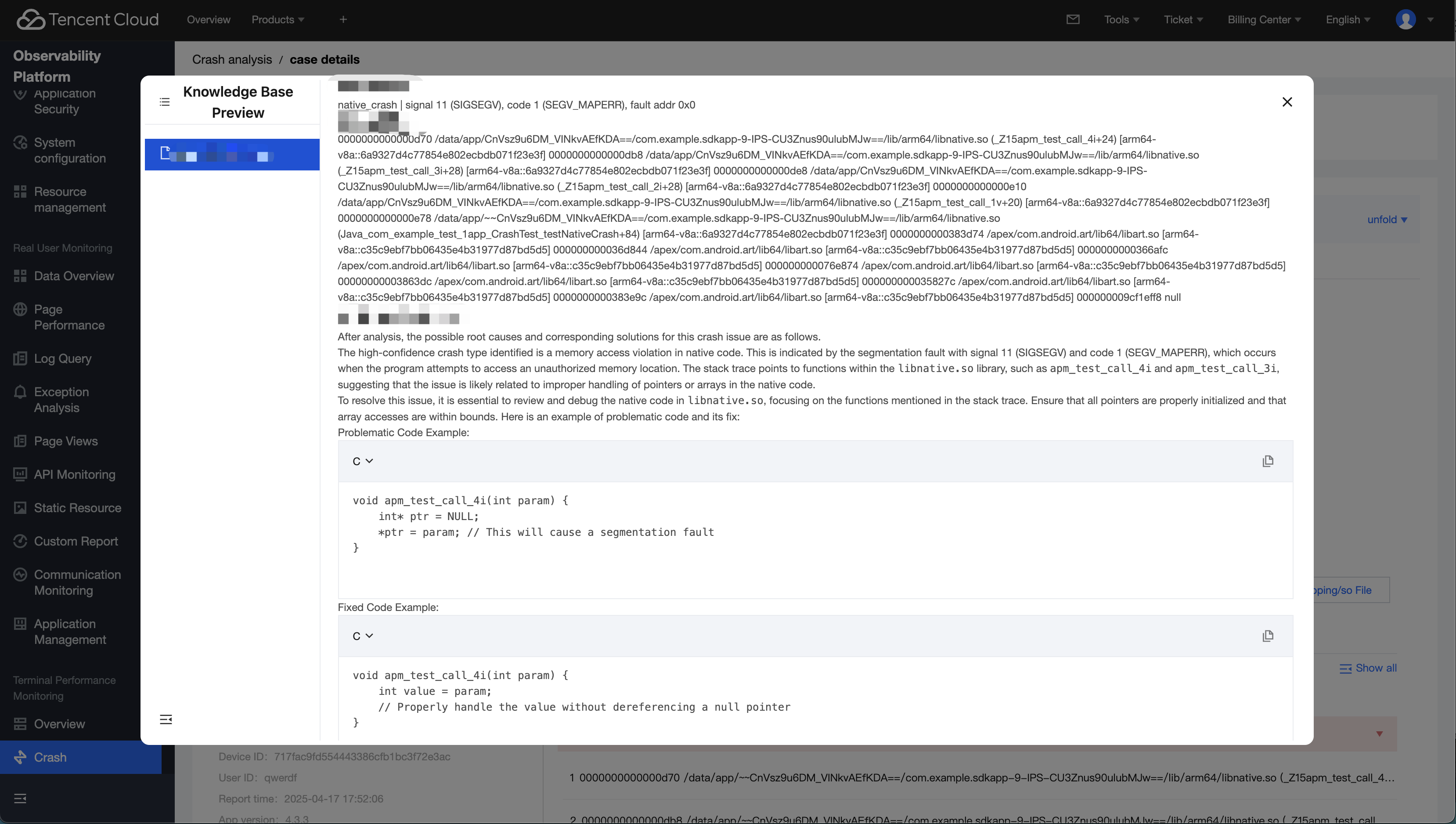
2. If you assess that there are errors in the solution, you can complete the case deposition by making partial corrections and then depositing them to enhance the accuracy of the case.
Note:
The current AI solution feature is in the promotion phase, and you can use and experience this feature for free. We provide each application with a quota of 60 AI solution generations per month. You can click the Request more attempts to let us know your needs, and we will contact you to provide additional attempts.
Was this page helpful?
You can also Contact Sales or Submit a Ticket for help.
Yes
No
Feedback