
In-Meeting Call Reminder (Android & iOS)

Last updated: 2025-04-01 18:08:12
When you receive an in-meeting message, the TUIRoomKit component will push an in-meeting call reminder message to you. This document will guide you to integrate the TIMPush push plug-in to enable the in-meeting call reminder feature.
Feature Introduction
Before integrating the offline push functionality, please ensure that you have completed manufacturer configuration according to the official documentation to ensure the normal operation of TUIRoomKit's offline push functionality.
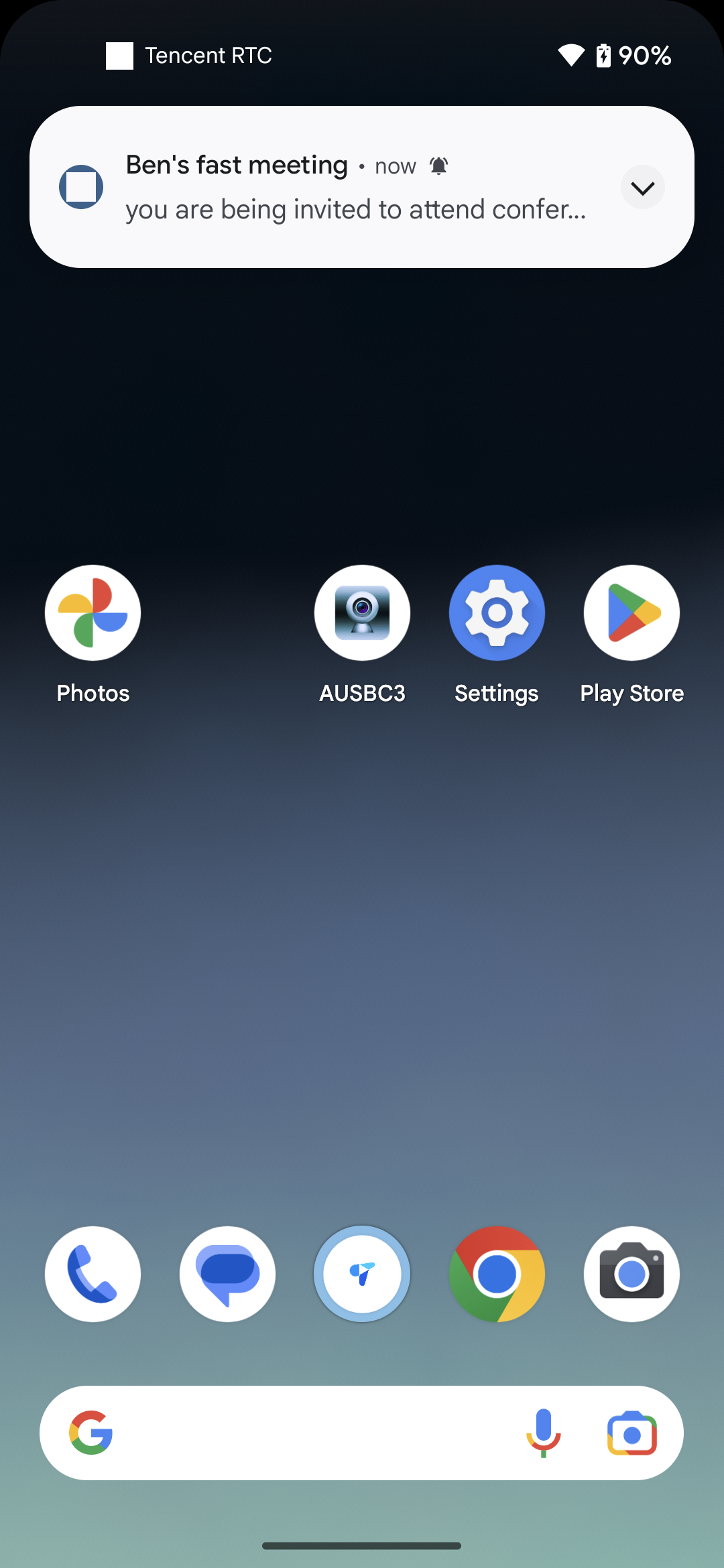
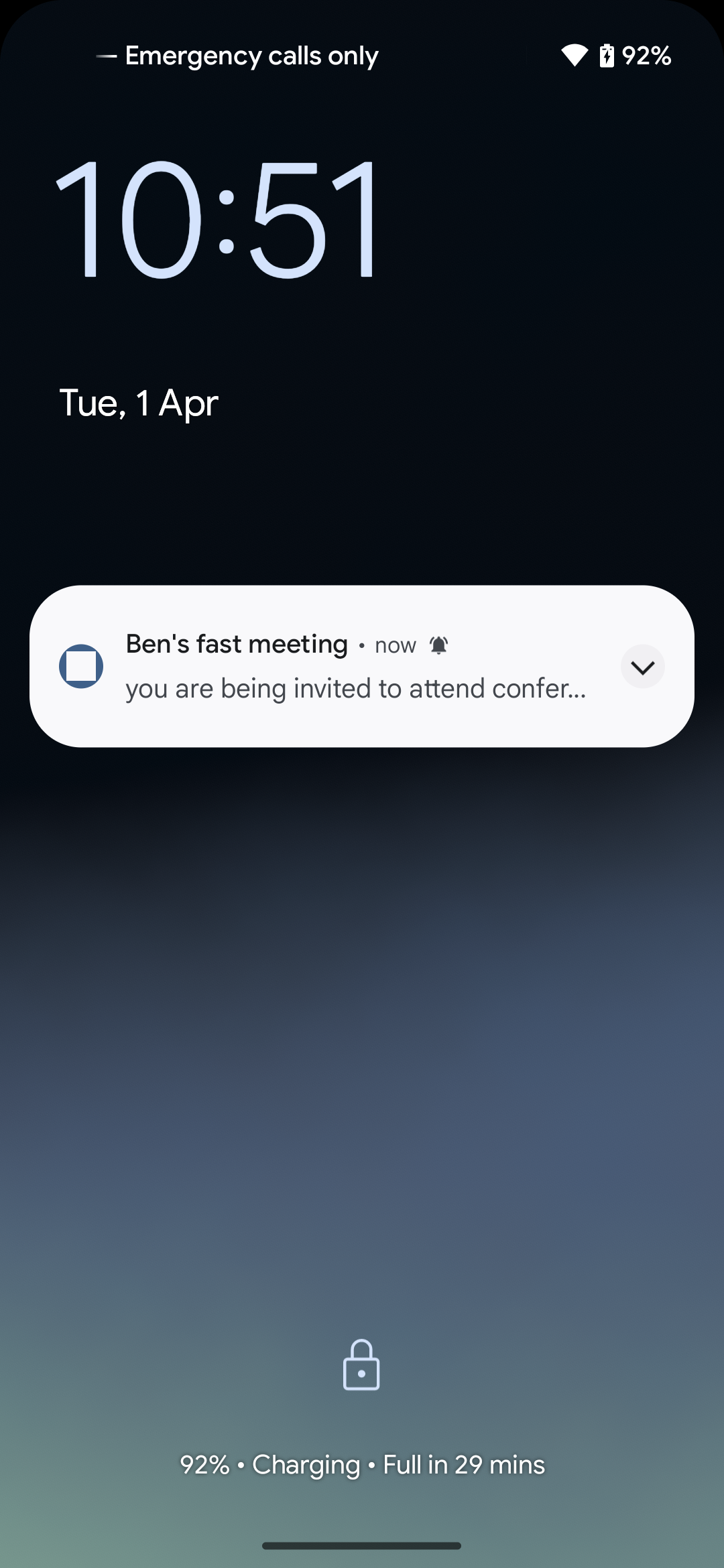
Effect as follows after TUIRoomKit integrates TIMPush push plug-in and receives an in-meeting call reminder message:
When the application is in the backend or offline | When the screen is locked |
 |  |
Feature Integration
1. Please refer to the quick access documentation of push plug-in TIMPush and complete all steps except step 6 (offline message push for in-meeting call has been performed inside TUIRoomKit component, so step 6 does not need separate configuration).
2. (Optional) If you want to pull up the invitation page immediately when clicking the notification, you can refer to the following code. It is recommended to place the registration of the callback timing in the onCreate() function of the application (Application):
TUICore.registerEvent(TUIConstants.TIMPush.EVENT_NOTIFY, TUIConstants.TIMPush.EVENT_NOTIFY_NOTIFICATION, new ITUINotification() {@Overridepublic void onNotifyEvent(String key, String subKey, Map<String, Object> param) {if (TUIConstants.TIMPush.EVENT_NOTIFY.equals(key) && TUIConstants.TIMPush.EVENT_NOTIFY_NOTIFICATION.equals(subKey) && param != null) {String extString = (String) param.get(TUIConstants.TIMPush.NOTIFICATION_EXT_KEY);try {JSONObject roomObject = new JSONObject(extString);String notificationType = roomObject.getString("NotificationType");if ("conference_invitation".equals(notificationType)) {login(new TUICallback() {@Overridepublic void onSuccess() {}@Overridepublic void onError(int errorCode, String errorMessage) {}});}} catch (Exception e) {}}}});private void login(TUICallback callback) {int sdkAppId = Your_sdkappid;String userId = "Your_userId";String userSig = "Your_userSig";TUILogin.login(this.getApplicationContext(), sdkAppId, userId, userSig, new TUICallback() {@Overridepublic void onSuccess() {if (callback != null) {callback.onSuccess();}}@Overridepublic void onError(int errorCode, String errorMessage) {if (callback != null) {callback.onError(errorCode, errorMessage);}}});}
1. Integrate TIMPush component
pod 'TIMPush', '8.1.6108'
2. Configure push parameters
After completing manufacturer configuration, you can obtain the certificate ID in the Chat console. You need to implement the
offlinePushCertificateID protocol method in AppDelegate and return the certificate ID.import TIMPushextension AppDelegate: TIMPushDelegate {func offlinePushCertificateID() -> Int32 {return kAPNSBusiId}}
#import "TIMPush/TIMPushManager.h"@interface AppDelegate () <TIMPushDelegate>- (int)offlinePushCertificateID {return kAPNSBusiId;}
3. Click offline push and then pull up the called interface.
By default, clicking on a notification will navigate to the app. You can refer to the following code to implement pulling up the called interface immediately upon clicking on a notification. You can also check the SceneDelegate and AppDelegate files in github.
If it is a cold startup, you need to parse the notification message in SceneDelegate to obtain the extString of the push message.
import UIKitclass SceneDelegate: UIResponder, UIWindowSceneDelegate {var window: UIWindow?func scene(_ scene: UIScene,willConnectTo session: UISceneSession,options connectionOptions: UIScene.ConnectionOptions) {guard let windowScene = (scene as? UIWindowScene) else { return }window = UIWindow(windowScene: windowScene)let loginVC = YourLoginViewController() // Your own login pageloginVC.extString = processOfflinePush(connectionOptions: connectionOptions)let nav = UINavigationController(rootViewController: loginVC)window?.rootViewController = navwindow?.makeKeyAndVisible()}private func processOfflinePush(connectionOptions: UIScene.ConnectionOptions) -> String? {guard let pushNotification = connectionOptions.notificationResponse?.notification.request.content.userInfo else { return nil }guard let extString = pushNotification["ext"] as? String else { return nil }return extString}
#import "SceneDelegate.h"#import <UserNotifications/UserNotifications.h>#import "TUIRoomKit/TUIRoomKit-Swift.h"#import "TIMDefine.h"@interface SceneDelegate ()@end@implementation SceneDelegate- (void)scene:(UIScene *)scene willConnectToSession:(UISceneSession *)session options:(UISceneConnectionOptions *)connectionOptions {[self processOfflinePush:connectionOptions];}- (void)processOfflinePush: (UISceneConnectionOptions *)connectionOptions {NSDictionary *pushNotification = connectionOptions.notificationResponse.notification.request.content.userInfo;NSString *extString = pushNotification[@"ext"];// Transmit the extString to your own login page YourLoginViewController}@end
Complete the logon of TUICore on your login page and assess whether to navigate to the called interface.
import TUICoreimport TUIRoomKit// YourLoginViewController is your own login page.class YourLoginViewController: UIViewController {var extString: String?override func viewDidLoad() {super.viewDidLoad()TUILogin.login(Int32(SDKAppID), userID: "yourUserName", userSig: "yourUserSig") { [weak self] inguard let self = self else { return }self.navigationController?.pushViewController(YourSelfViewController(), animated: false)// YourSelfViewController is the interface that should be displayed after normal login.guard let extString = self.extString else { return }guard let notificationType = dict["NotificationType"] as? String else { return }// Determine whether it is an in-meeting call reminder through notificationType, and then determine whether to pull up the called page.if notificationType == "conference_invitation" {InvitationObserverService.shared.show(extString: extString) // Call this method to pull up the called interface}self.extString = nil} fail: { (code, errorDes) inprint("code:\\(code), errorDes:\\(String(describing: errorDes))")}}}
#import "YourLoginViewController.h"#import "TUIRoomKit/TUIRoomKit-Swift.h"#import "TUILogin.h"@interface YourLoginViewController ()@property (nonatomic, strong) NSString *extString;@end@implementation YourLoginViewController- (void)viewDidLoad {[super viewDidLoad];[TUILogin login:yourSDKAPPID userID:@"youruserID" userSig:@"yourUserSig" succ:^{// Display your own interface first// If extString has a value, it means it comes from an offline push. You can call showInitationView to pull up the called interface.} fail:^(int code, NSString * _Nullable msg) {}];// Do any additional setup after loading the view.}- (void)showInitationView: (NSString *)extString {[[InvitationObserverService shared] show:extString];}
If it is from the backend to the foreground, need to implement the onRemoteNotificationReceived method in the AppDelegate file.
import TUIRoomKitimport TIMPush@mainclass AppDelegate: UIResponder, UIApplicationDelegate, TIMPushDelegate {var roomId: String?func onRemoteNotificationReceived(_ notice: String?) -> Bool {guard let notice = notice else { return false }guard let dict = convertToDic(string: notice) else { return false }guard let roomId = dict["RoomId"] as? String else { return false }if V2TIMManager.sharedInstance().getLoginStatus() == .STATUS_LOGINED {InvitationObserverService.shared.show(extString: extString) // Call this method to pull up the called interface}return true}}
#import "AppDelegate.h"#import "TIMPush/TIMPushManager.h"#import "TUIRoomKit/TUIRoomKit-Swift.h"#import "TIMDefine.h"@interface AppDelegate ()<TIMPushDelegate>@property (nonatomic, strong) NSString *roomId;@end@implementation AppDelegate- (BOOL)onRemoteNotificationReceived:(NSString *)notice {NSDictionary * dic = [self dictionaryFromString:notice];NSString * roomId = dic[@"RoomId"];if (!roomId) {return false;}if ([V2TIMManager sharedInstance].getLoginStatus == V2TIM_STATUS_LOGINED ) {[[InvitationObserverService shared] show:extString];}return true;}@end
Common Issues
1. If you encounter problems during the integration process, ensure to first check Plugin Push - Common Issues for troubleshooting.
2. Condition description: Some vendors require listing on the app market to use the push service normally. For details, see the following table:
Manufacturer Channel | Whether Listing Is Required | Account Description |
Xiaomi | Yes | Need to register an enterprise developer account. |
VIVO | Yes | Need to register an enterprise developer account. |
OPPO | No | Need to register an enterprise developer account. |
Honor | No | Need to register an enterprise developer account. |
Huawei | No | An individual developer account is all you need. |
Meizu | No | An individual developer account is all you need. |
Feature Customization
If you need to customize the view of the called page, please refer to the following path to make changes:
// File location: Android/tuiroomkit/src/main/java/com/tencent/cloud/tuikit/roomkit/view/component/component└──InvitationReceivedView.java
// File location: iOS/TUIRoomKit/Source/View/ConferenceOptions/ConferenceInvitationConferenceInvitation└── ConferenceInvitationViewController.swift // Called page view
Note:
If you have any requirements or feedback during the integration and use process, you can contact: info_rtc@tencent.com.
Was this page helpful?
You can also Contact Sales or Submit a Ticket for help.
Yes
No
Feedback