
Database Management via Console

Last updated: 2025-07-22 20:25:30
TencentDB for PostgreSQL supports managing databases in the console, as described below.
Creating a Database
Log in to the Cloud Database PostgreSQL Console, click Instance ID or the Operation column's Manage to enter the instance details page. Click Database Management > Database List> Create Database to create a database. The details are as follows:
Note:
The database name cannot be a system-reserved keyword. For specific keywords, refer to the official documentation.
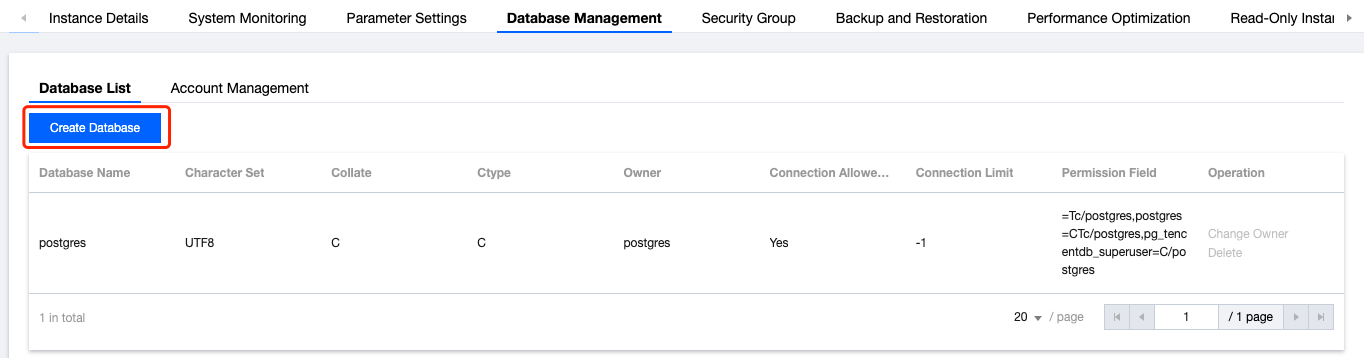
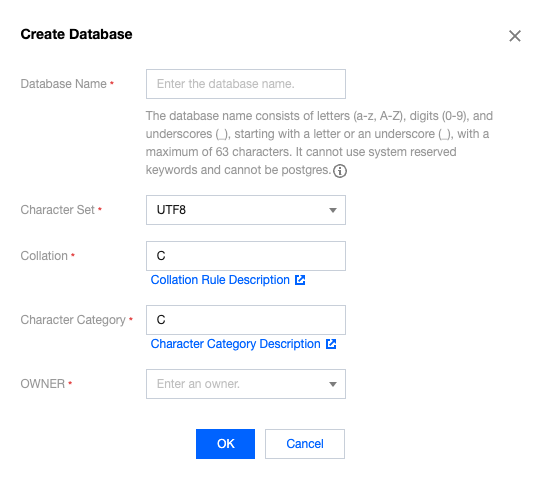
Database List
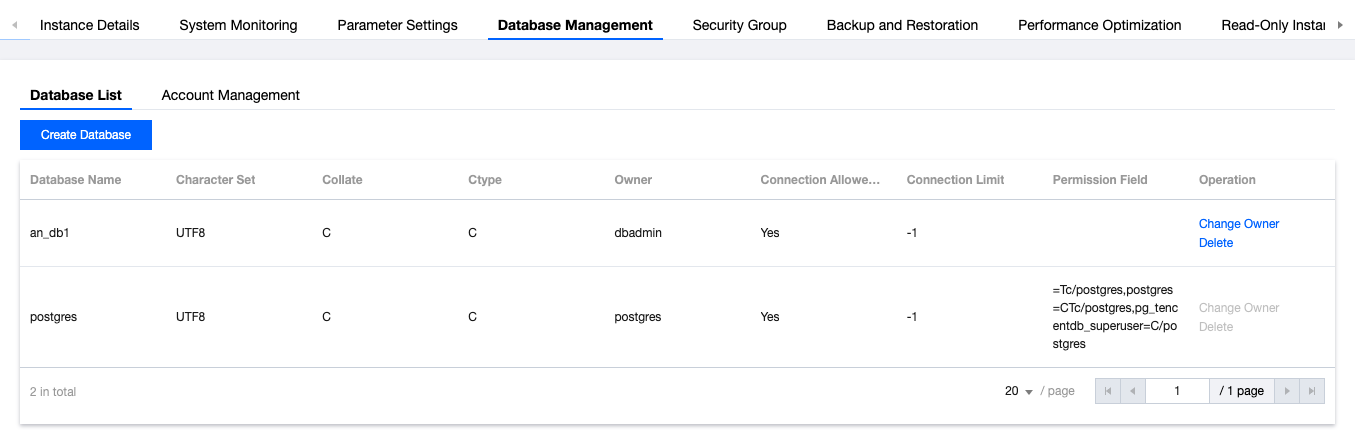
Click Instance ID or the Operation column's Manage to enter the instance details page. Click Database Management to view the database list. The details are as follows:
Changing OWNER
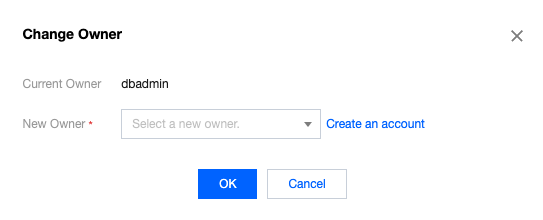
Click Instance ID or the Operation column's Manage to enter the instance details page. Click Database Management to view the database list. In the Operation column, click Change Owner to modify the database owner. The details are as follows:
Delete Database
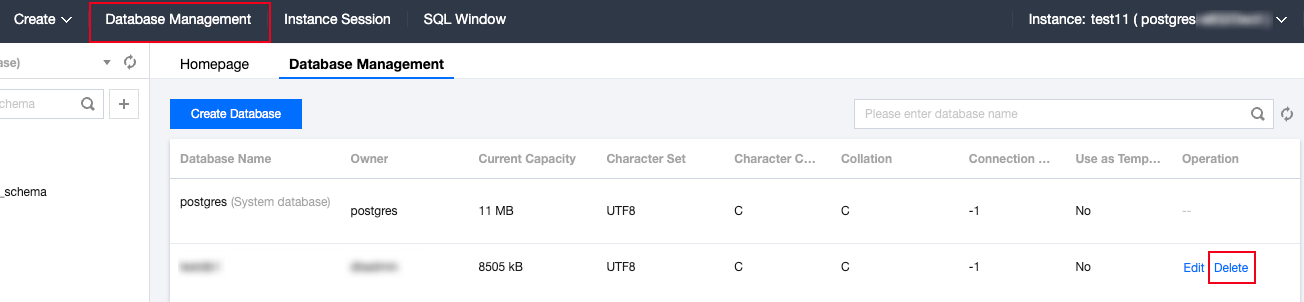
The current console does not support direct deletion of databases. If necessary, please click Delete in the Operation column. The system will automatically redirect you to the DMC management interface. Navigate to Database Management, then click Delete in the Operation column to complete the deletion process.
Note:
Deleting a database is a dangerous operation and may lead to data loss. Proceed with caution.
Description of Collation and Character Classification
In PostgreSQL, collation (mainly controlled by LC_COLLATE) and character classification (mainly controlled by LC_CTYPE) determine the sorting and comparison methods of string data as well as the classification attributes of characters. For detailed information on collation and character classification, refer to PostgreSQL’s official documentation on collation and locale.
Note:
Make sure consistent use of collation and character classification throughout the database to avoid inconsistencies in character processing behavior.
Was this page helpful?
You can also Contact Sales or Submit a Ticket for help.
Yes
No
Feedback