Impala Offline Single Table Read Node Configuration
Parameters
Description
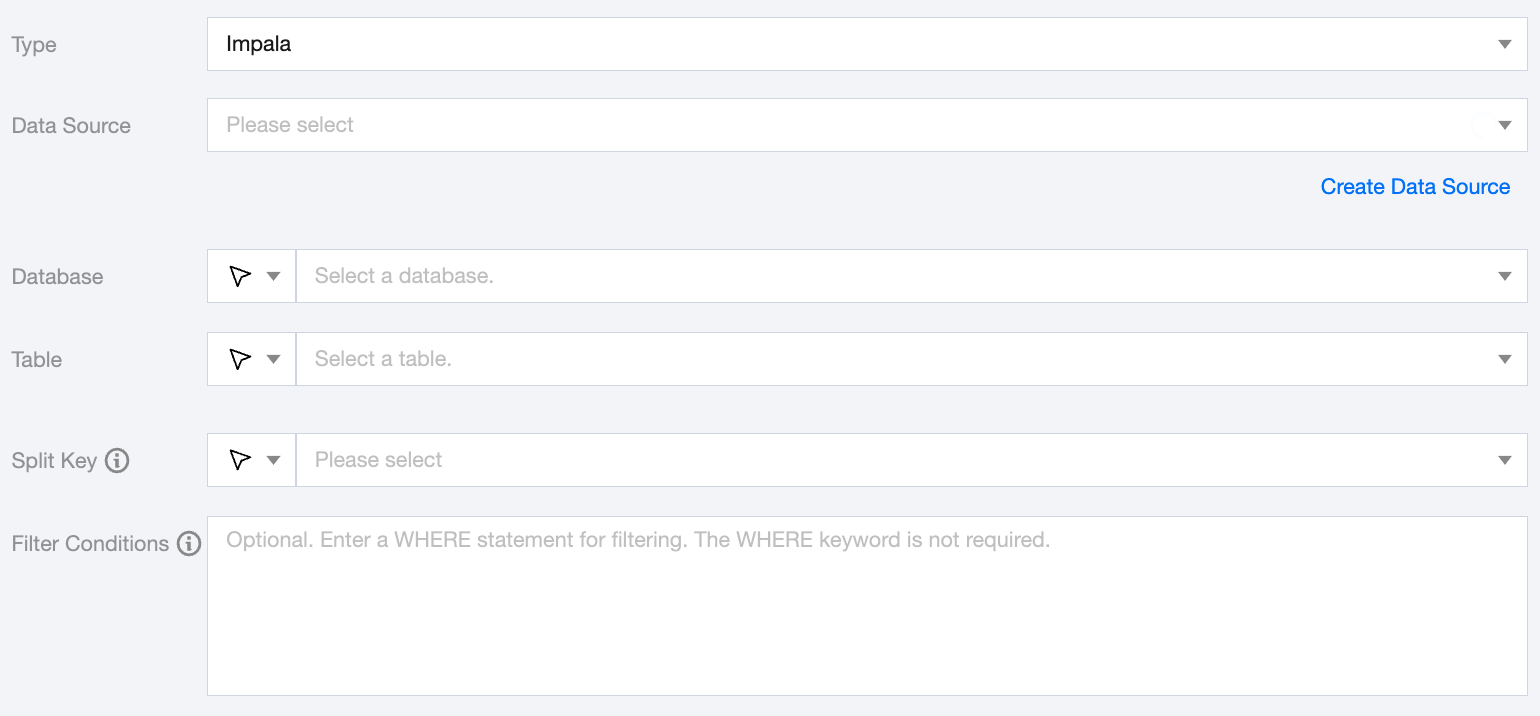
Data Source
Select the configured Impala data source from the source end.
Database
Supports selection or manual input of the library name to read from.
By default, the database bound to the data source is used as the default database. Other databases need to be manually entered.
If the data source network is not connected and the database information cannot be fetched directly, you can manually enter the database name. Data synchronization can still be performed when the Data Integration network is connected.
Table
Supports selecting or manually entering the table name to be read.
If the data source network is not connected and table information cannot be fetched directly, you can manually enter the table name. Data synchronization can still be performed when the Data Integration network is connected.
Split Key
Specify the field for data sharding. After specifying, concurrent tasks will be launched for data synchronization. You can use a column in the source data table as the partition key. It is recommended to use the primary key or indexed column as the partition key.
Filter Conditions (Optional)
Fill in the corresponding filter statement based on the data type. This statement will serve as the filter condition for the data to be synchronized.
Impala Offline Single Table Write Node Configuration
Parameters
Description
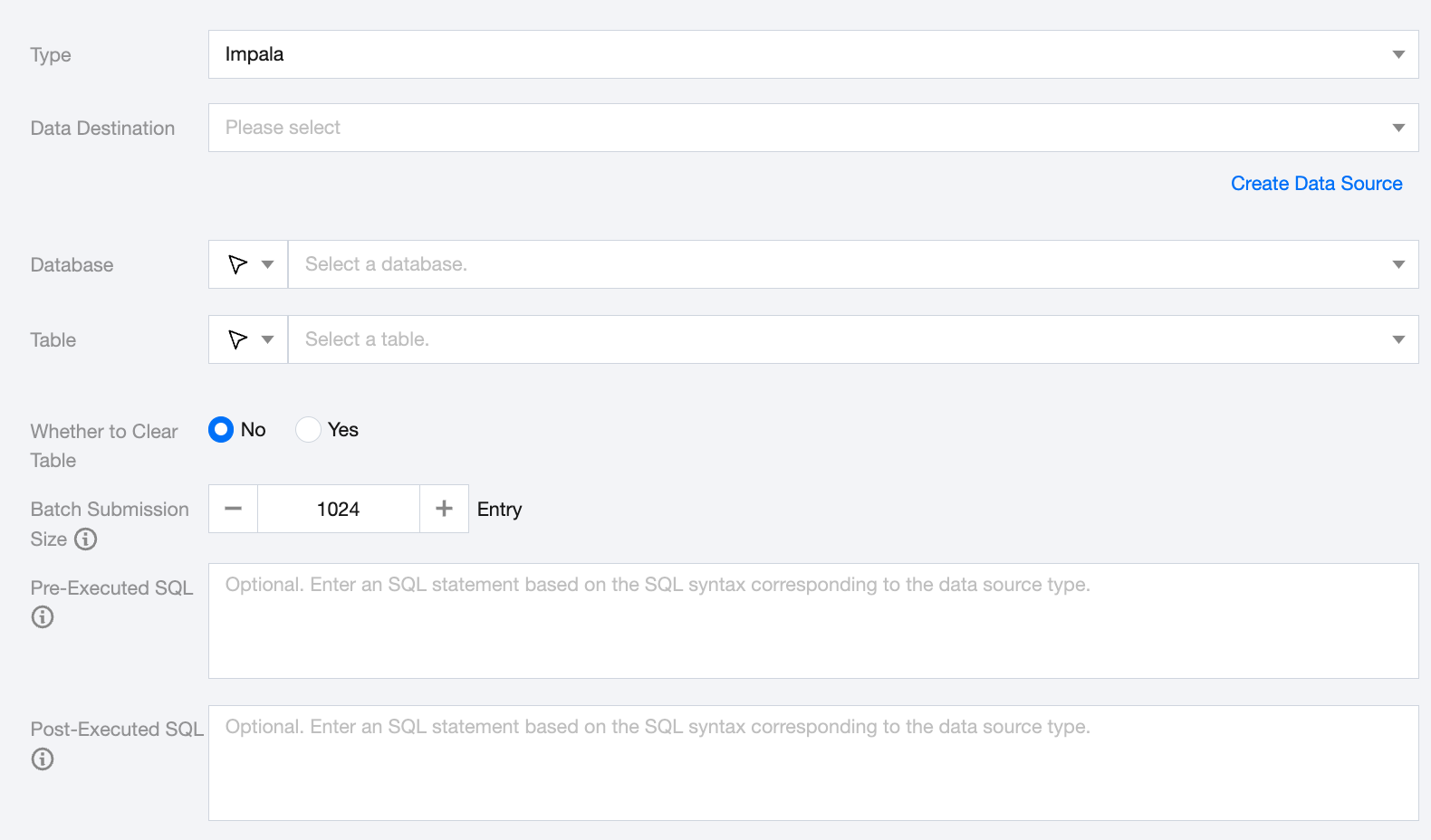
Data Destination
Select the configured Impala data source from the target end.
Database
Supports selection or manual input of the library name to read from.
By default, the database bound to the data source is used as the default database. Other databases need to be manually entered.
If the data source network is not connected and the database information cannot be fetched directly, you can manually enter the database name. Data synchronization can still be performed when the Data Integration network is connected.
Table
Supports selecting or manually entering the table name to be read.
If the data source network is not connected and table information cannot be fetched directly, you can manually enter the table name. Data synchronization can still be performed when the Data Integration network is connected.
Whether to Clear Table
You can manually choose whether to clear the Impala data table before writing to it.
Batch Submission Size
The size of the record batch submitted at once can greatly reduce the number of network interactions between the data synchronization system and Impala, enhancing overall throughput. If this value is set too high, it may cause the data synchronization process to encounter OOM exceptions.
Pre-Executed SQL
SQL statements executed before the synchronization task. Fill in the SQL according to the correct SQL syntax corresponding to the data source type.
Post-Executed SQL
SQL statements executed after the synchronization task. Fill in the SQL according to the correct SQL syntax corresponding to the data source type.